
[Claude Code CLI] Bridging Terminal and VS Code
Deep Dive · A 5-minute code walkthrough on how red squiggles reach Claude via MCP to power code fixes.

Disclaimer: Claude Code’s CLI and VS Code extension are not publicly available (sorry for the clickbait 😜). But we used various open-source projects to derive the end-to-end flow.
How does Claude Code CLI Read and Use Red Squiggles in VS Code?
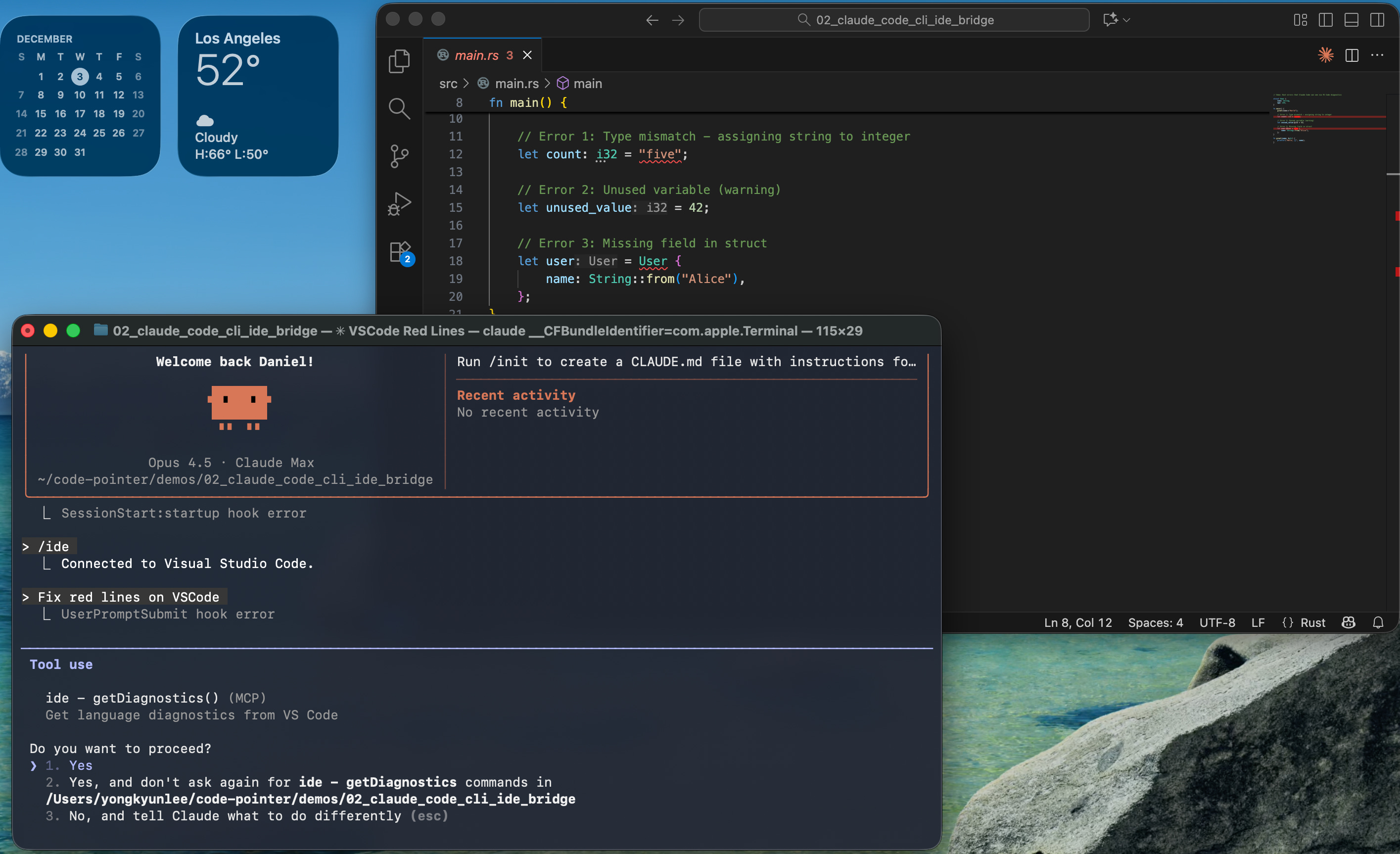
Claude Code CLI runs in your terminal in a separate process from VS Code. Yet the CLI understands the errors VS Code is showing and uses them to answer your prompt. How does an external CLI process access VS Code’s internal diagnostic API? Below screenshot shows Claude Code CLI connecting to an open VS Code window.
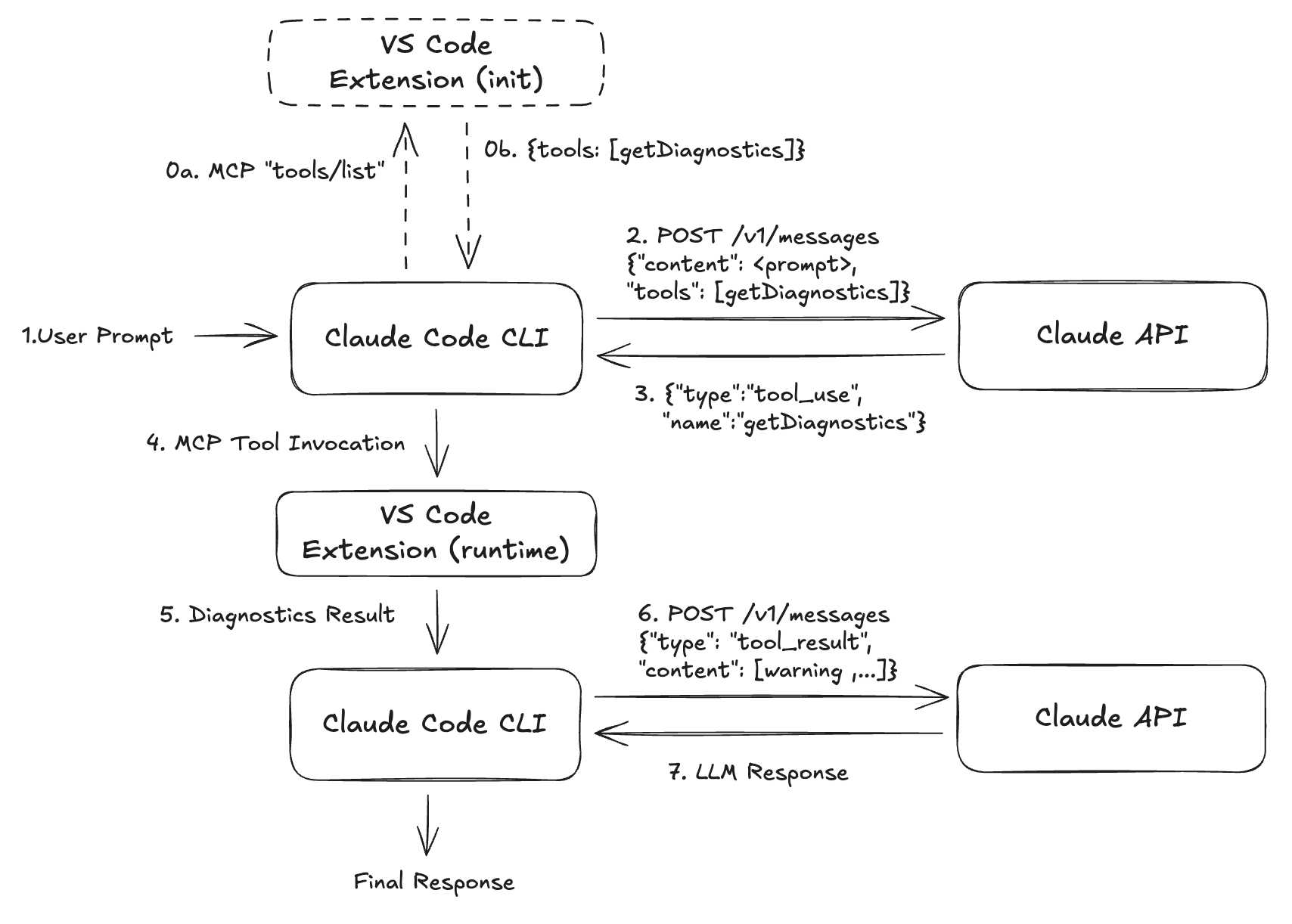
Architecture
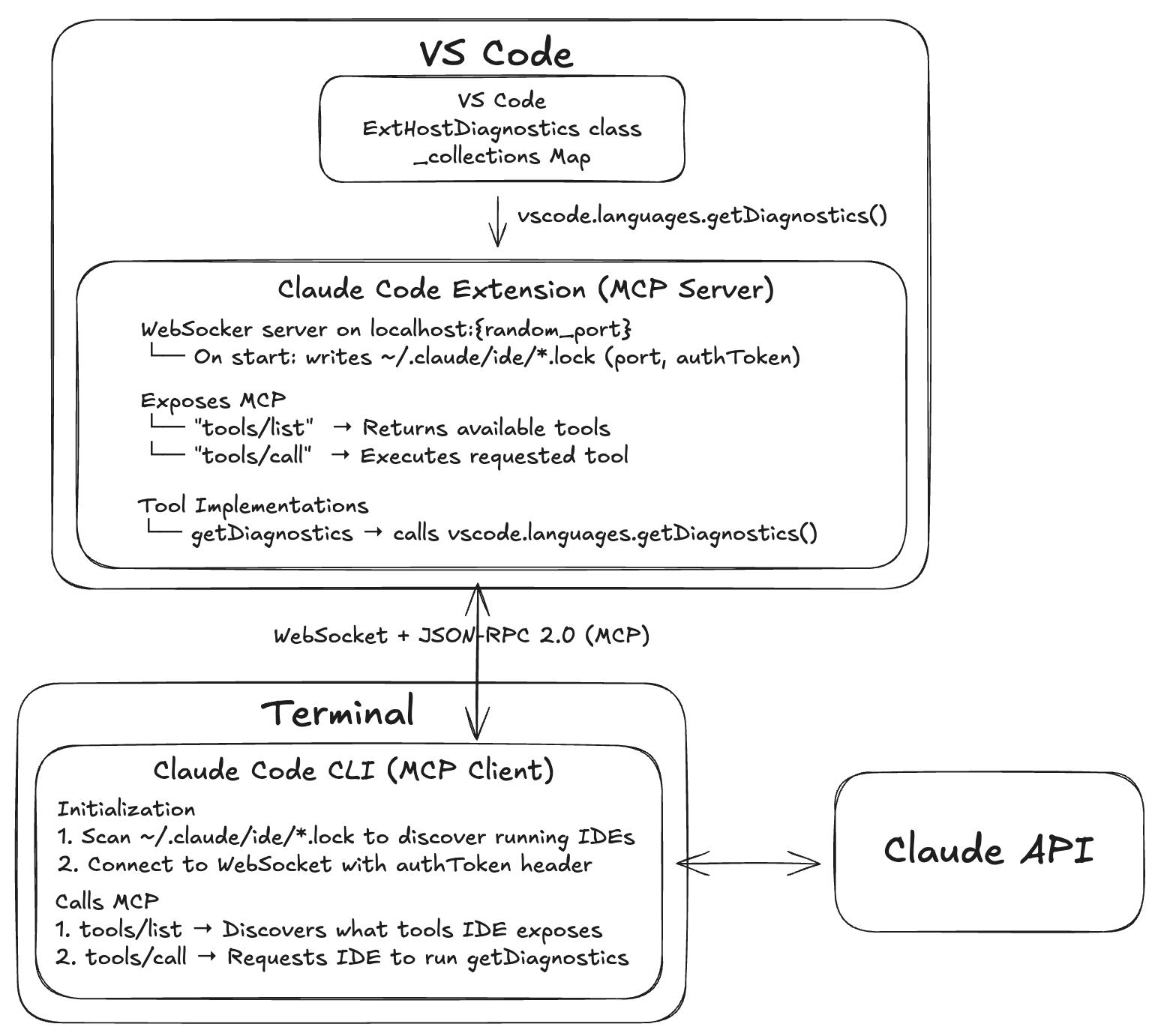
User asks: “fix type errors” in the terminal
CLI → Claude API: Sends user message with tools manifest (including
getDiagnostics)Claude API → CLI: Returns
tool_useresponse:{name: “getDiagnostics”}CLI → Extension: Sends MCP
tools/callrequestExtension: Calls
vscode.languages.getDiagnostics()internallyExtension → CLI: Returns diagnostics array with all errors/warnings
CLI → Claude API: Sends
tool_resultwith diagnosticsClaude API: Sees all errors and suggests fixes
Implementation
IDE Discovery using Lock Files
Claude Code CLI finds running IDEs via lock files. We can examine claudecode.nvim, a Neovim extension built by reverse-engineering Claude Code.
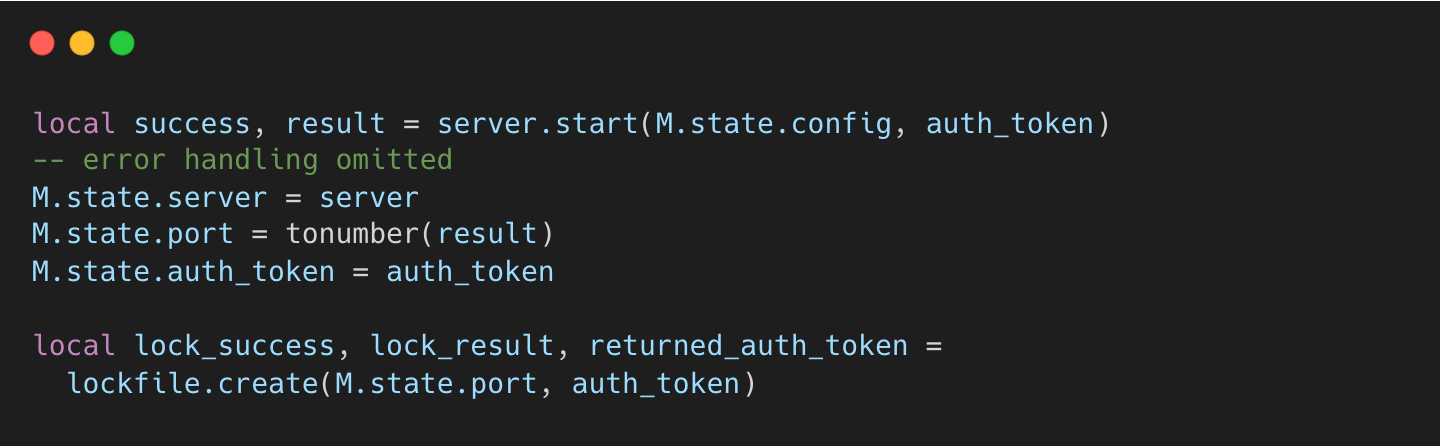
The extension writes a lock file upon starting its WebSocket server.
coder/claudecode.nvim:init.lua#L429-L444
→ coder/claudecode.nvim:lockfile.lua#L69-L151
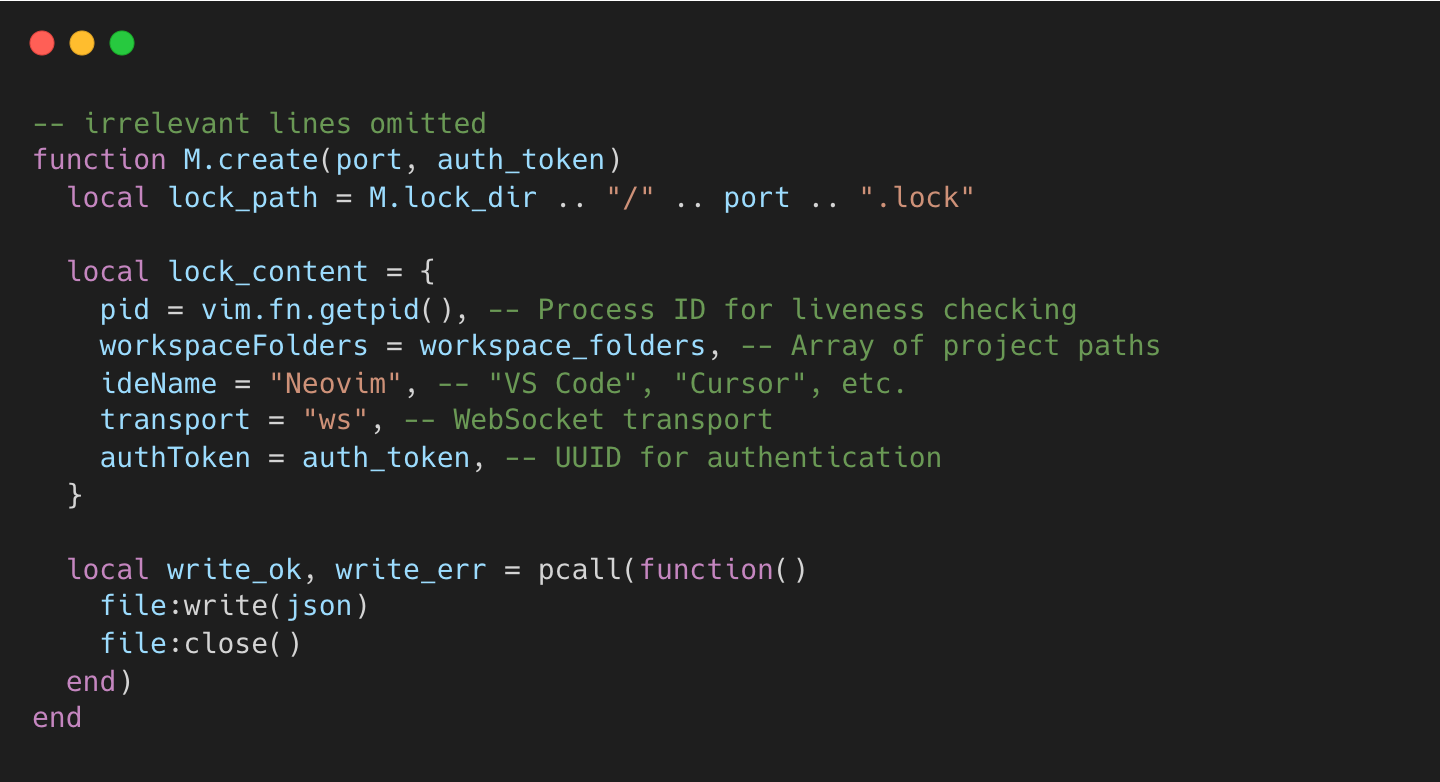
The lock file contains an authentication token (UUID v4) that the CLI must send to prevent unauthorized access. Early versions lacked this, leading to CVE-2025-52882.
Based on observable behavior, we can infer the CLI’s discovery flow:
Scans all
.lockfiles from~/.claude/ide/Parses JSON to extract port, workspace folders, and auth token
Filters by matching workspace (current directory vs.
workspaceFolders)Connects via WebSocket to
ws://localhost:{port}with the auth token
MCP Communication
The Model Context Protocol (MCP) follows a client-server architecture:
Claude Code CLI: MCP client that discovers and invokes tools
Claude Code Extension: MCP server that exposes tools and handles requests.
Both client and server must conform to the MCP Specification: Tools - standard JSON-RPC 2.0 format with jsonrpc, method/result, and id fields.
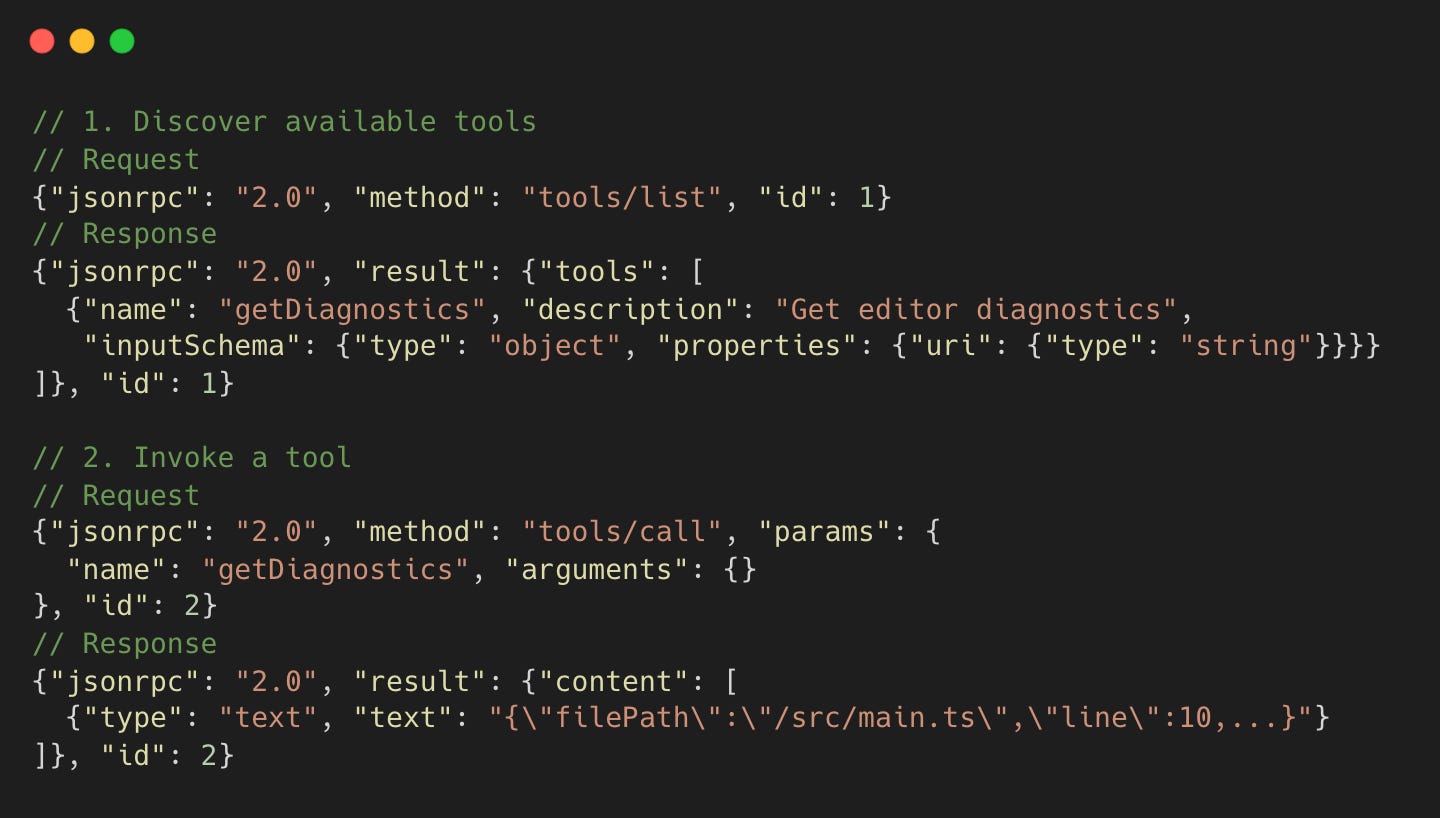
MCP Server Request Handling
We can examine claudecode.nvim to see how an MCP server handles requests.
coder/claudecode.nvim:init.lua#L267-L334
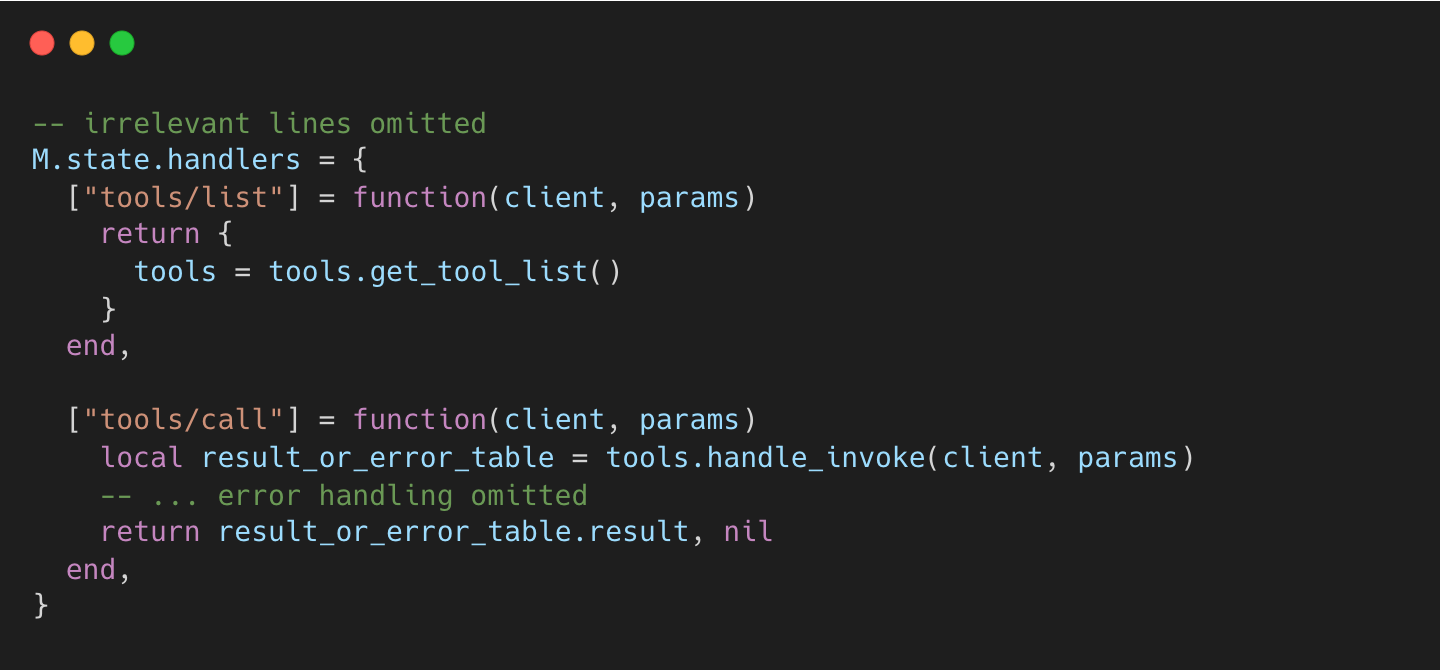
Diagnostics from VS Code
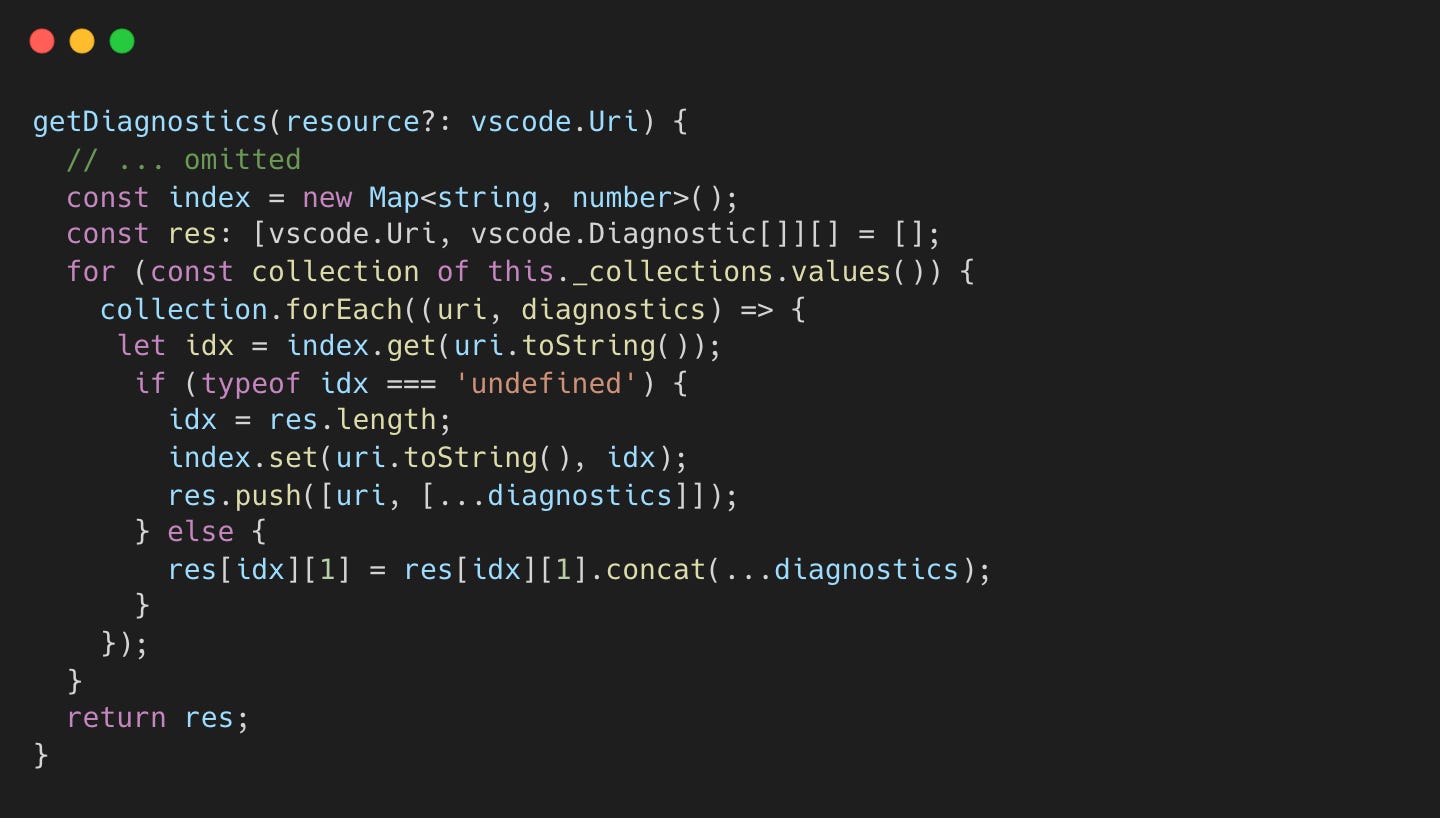
VS Code stores language server diagnostics (e.g., from rust-analyzer in ExtHostDiagnostics._collections. The vscode.languages.getDiagnostics() API aggregates diagnostics from all sources:
microsoft/vscode:extHostDiagnostics.ts#L318-L337
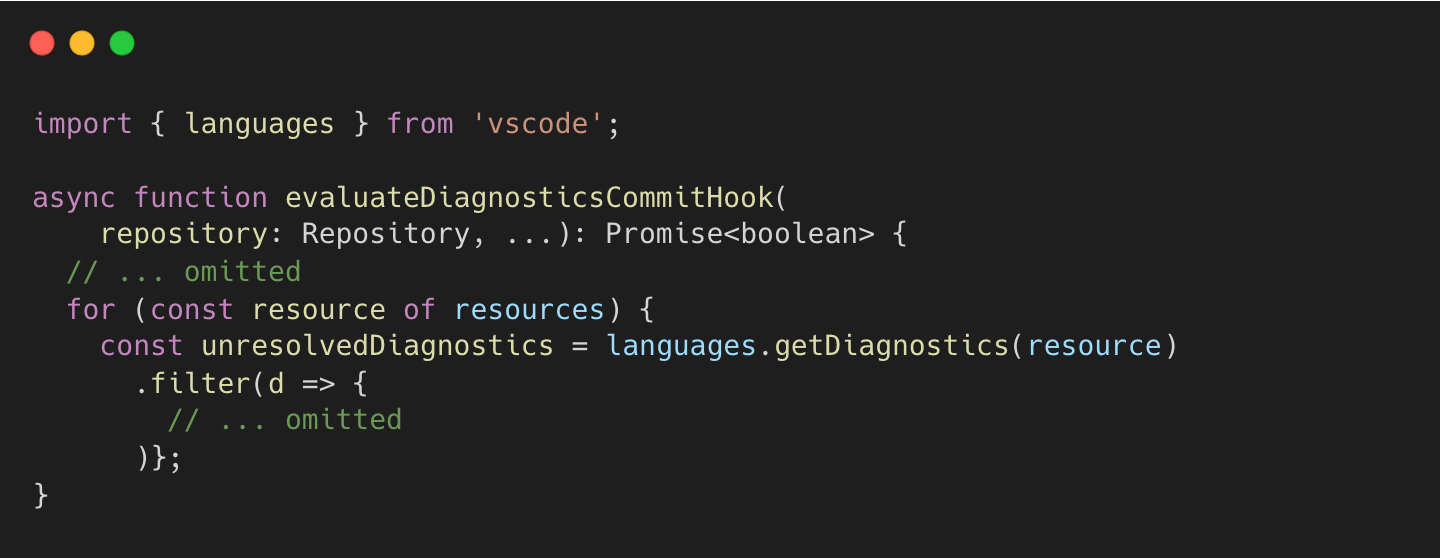
For example, VS Code’s Git extension uses getDiagnostics to validate commits:
microsoft/vscode:commands.ts#L713-L743
How MCP Server uses getDiagnostics API
While the Claude Code extension is private, it likely invokes vscode.languages.getDiagnostics().
Here is how claudecode.nvim uses Neovim’s getDiagnostics API:
coder/claudecode.nvim:get_diagnostics.lua#L3-L20
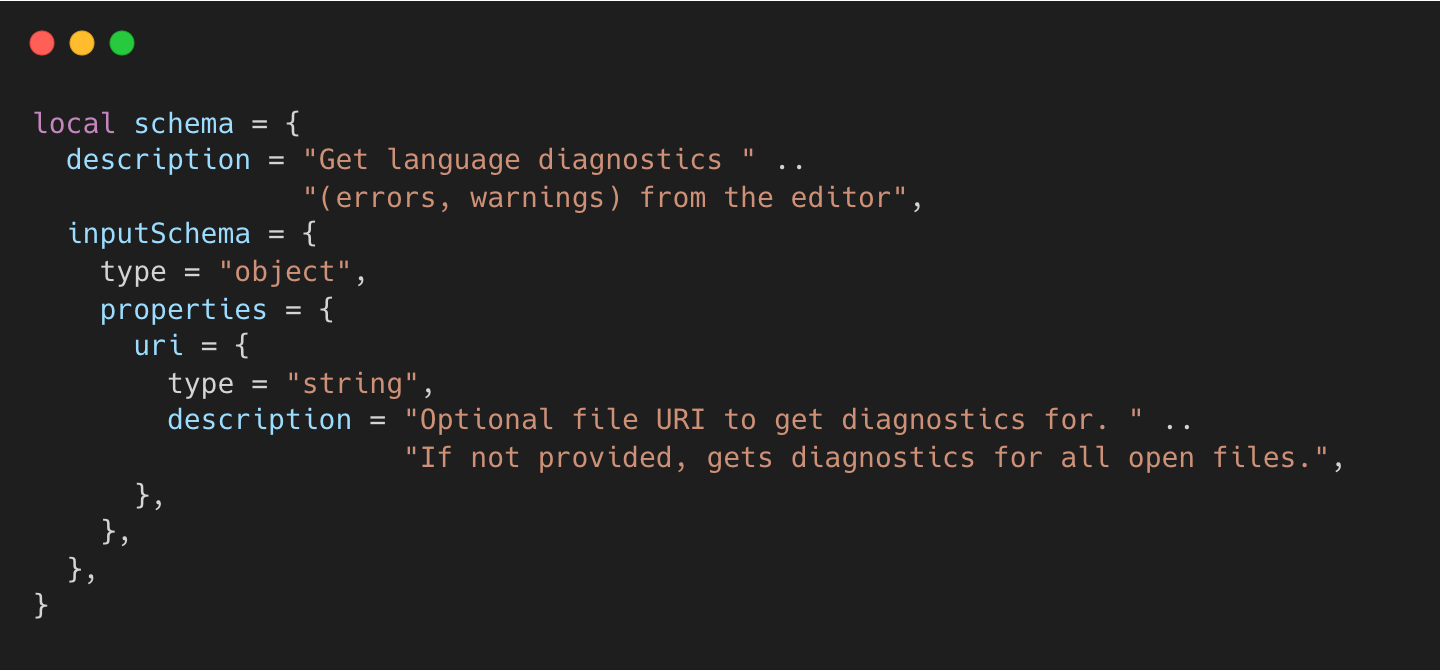
→ coder/claudecode.nvim:get_diagnostics.lua#L26-L95
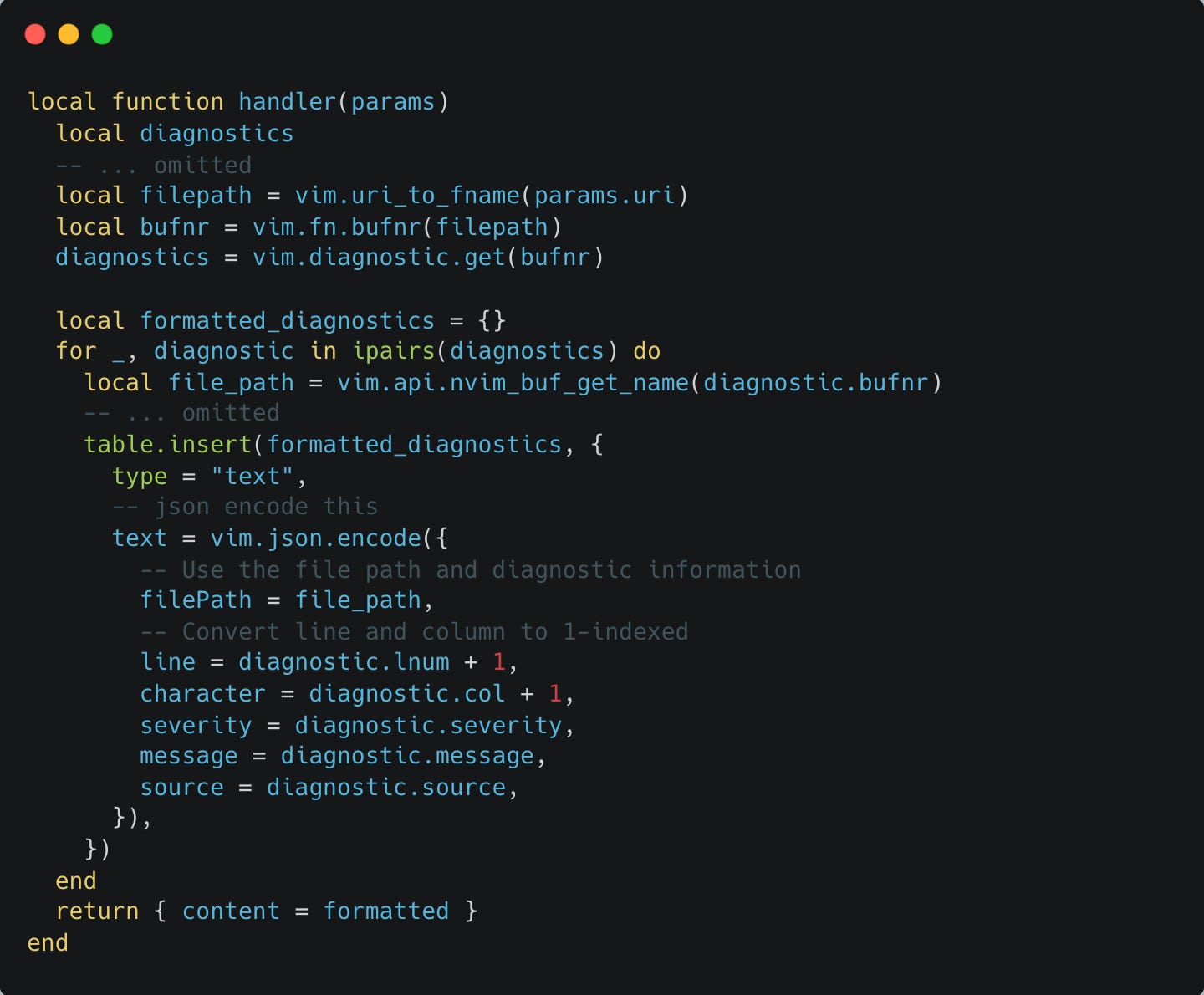
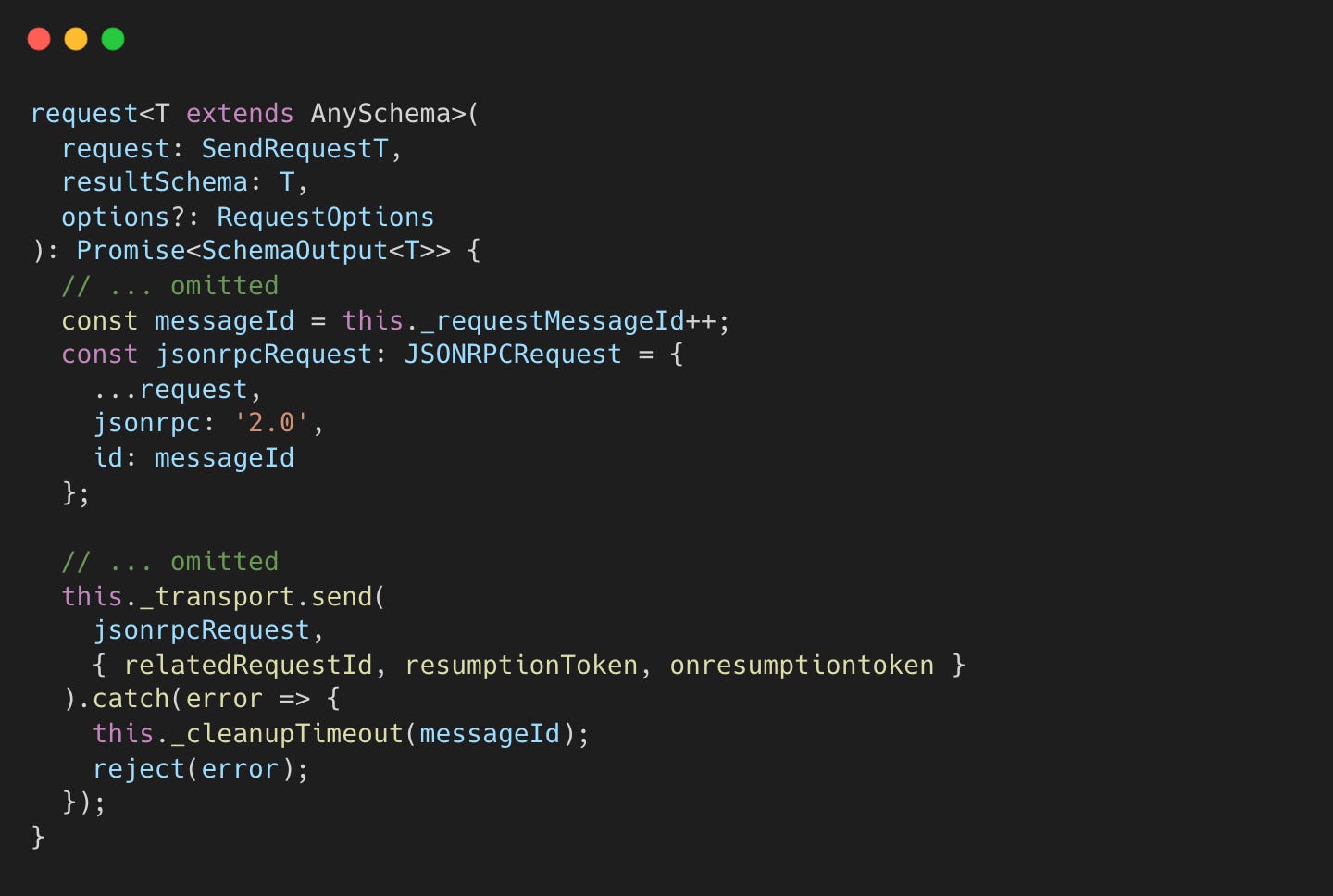
MCP Client Request Sending
We can check n8n, a workflow automation framework, for an MCP client implementation.
Tool listing:
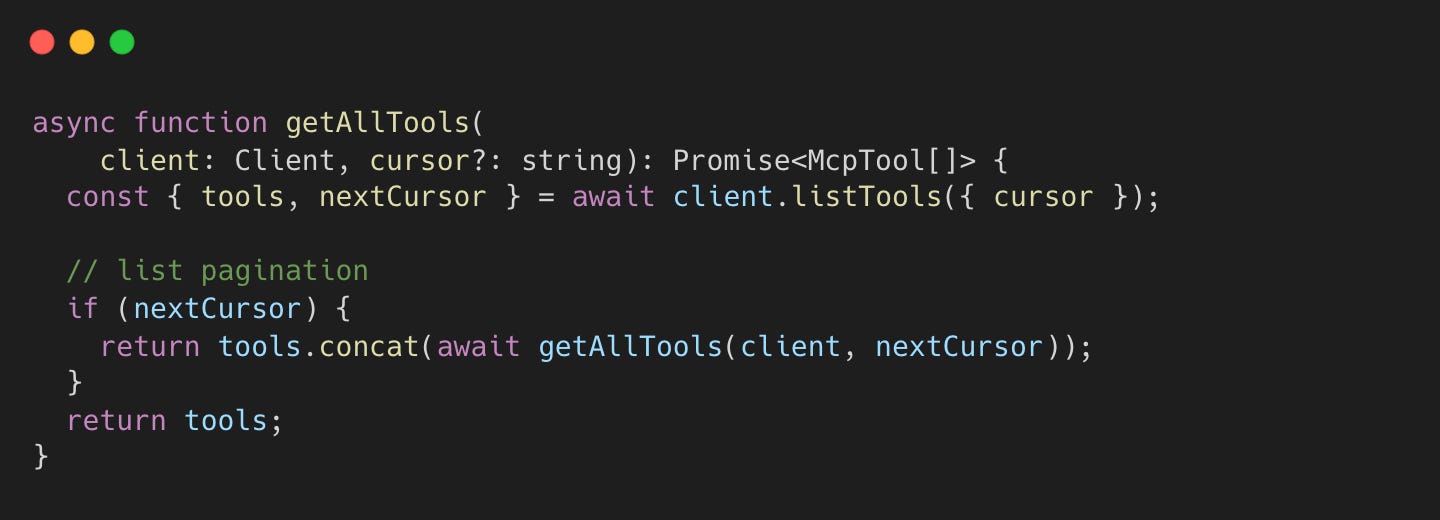
→ modelcontextprotocol/typescript-sdk:index.ts#L599-L606
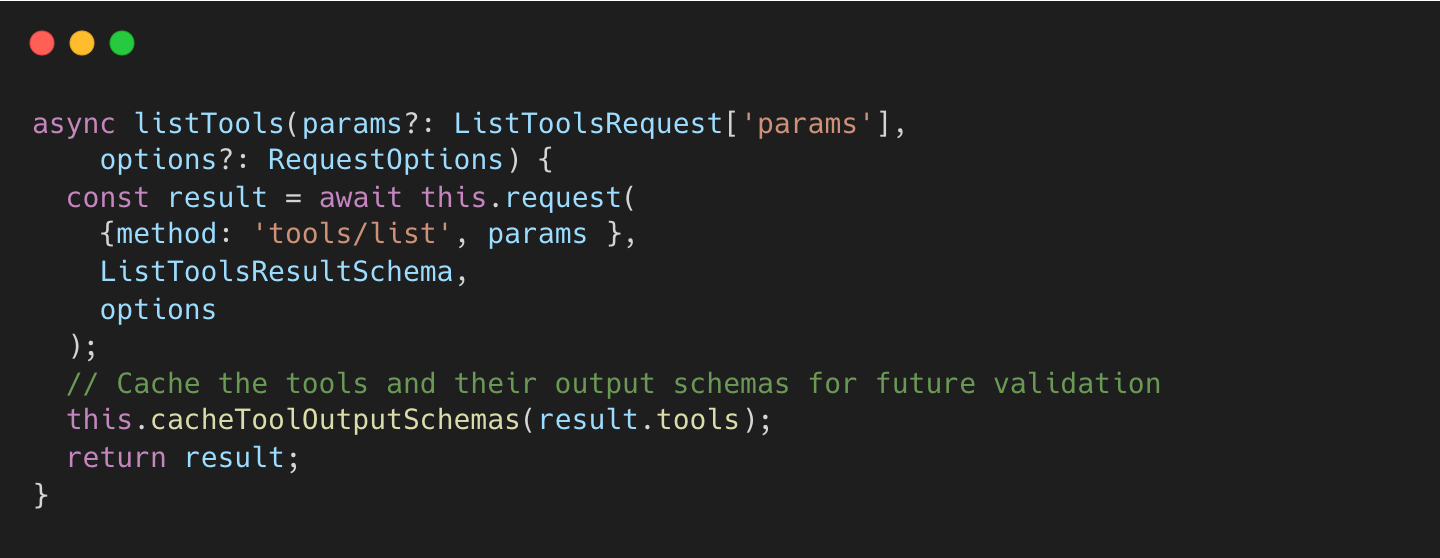
Tool invocation:
n8n-io/n8n:McpClient.node.ts#L255-L264
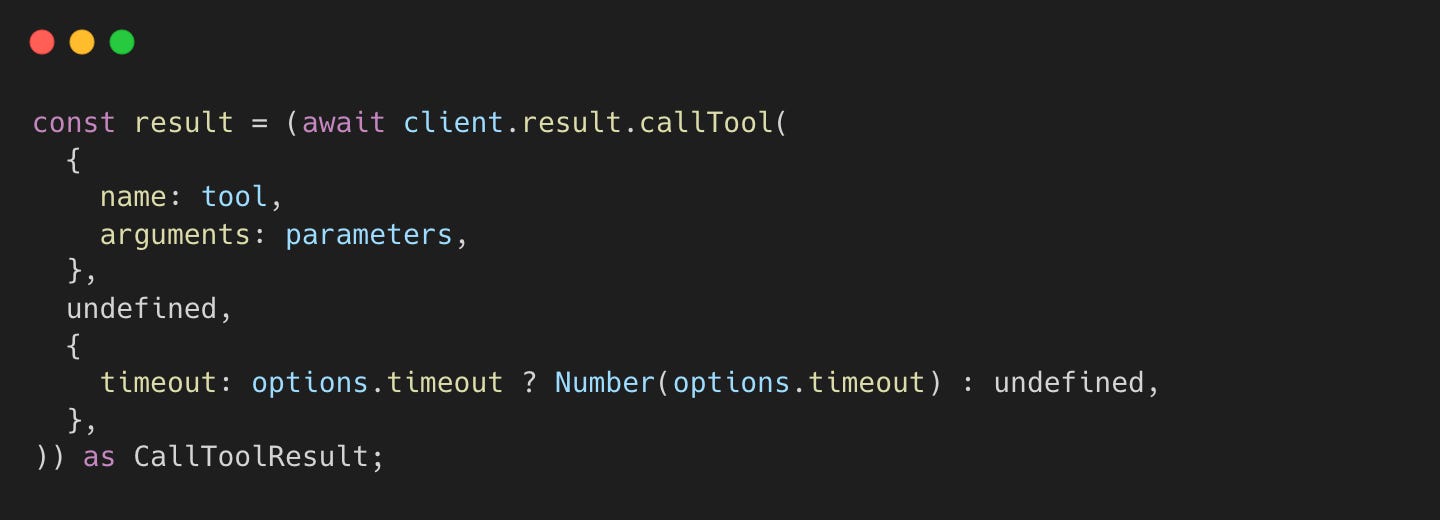
→ modelcontextprotocol/typescript-sdk:index.ts#L531-L574
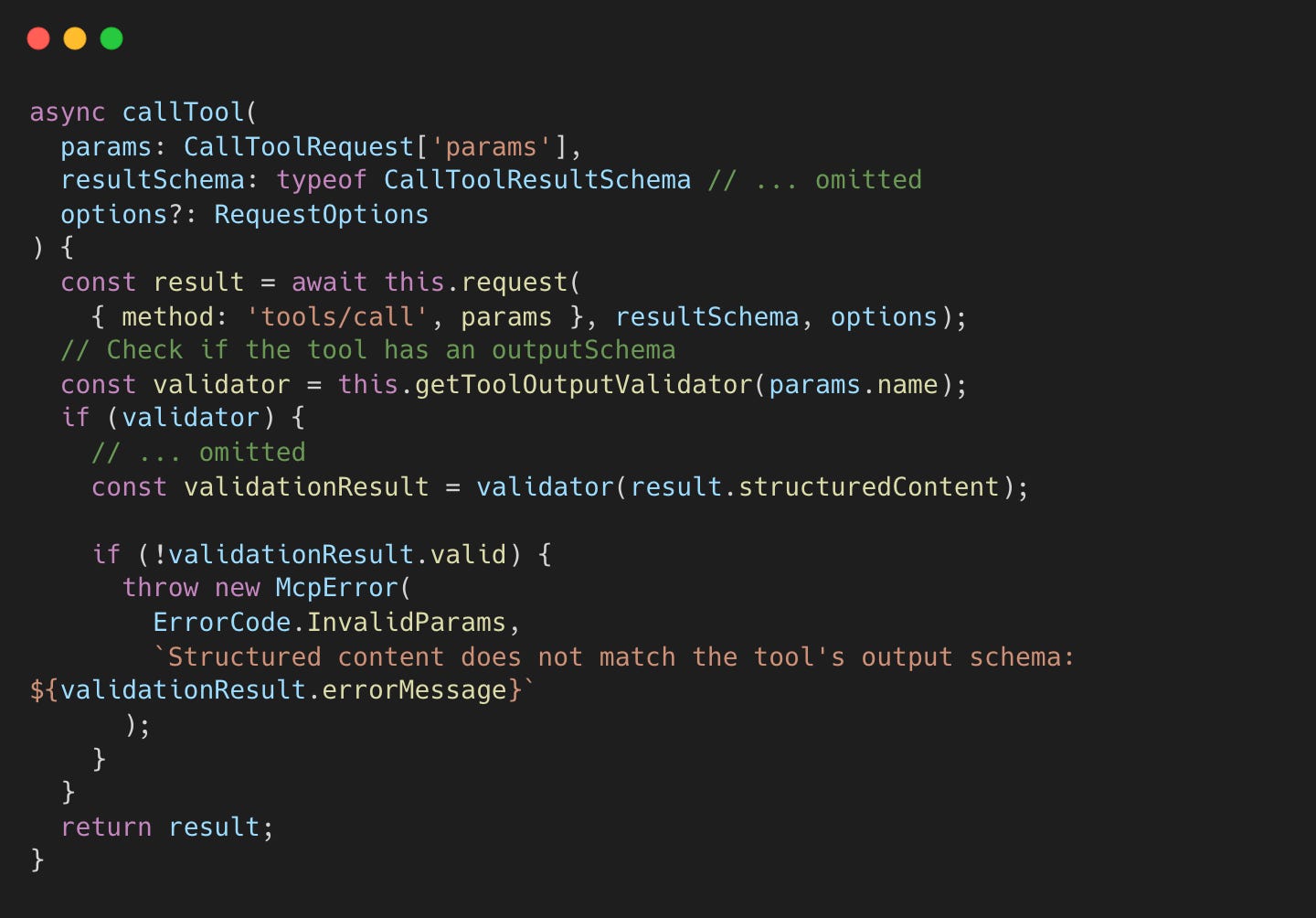
→ modelcontextprotocol/typescript-sdk:protocol.ts#L489-L585
API Integration of Tools
How does the MCP client know when to invoke tools?
MCP tools are “model-controlled”. the LLM discovers and invokes them based on context. The diagram below illustrates the interaction:
Below is a sample request with a `tools` field, based on Claude API docs.
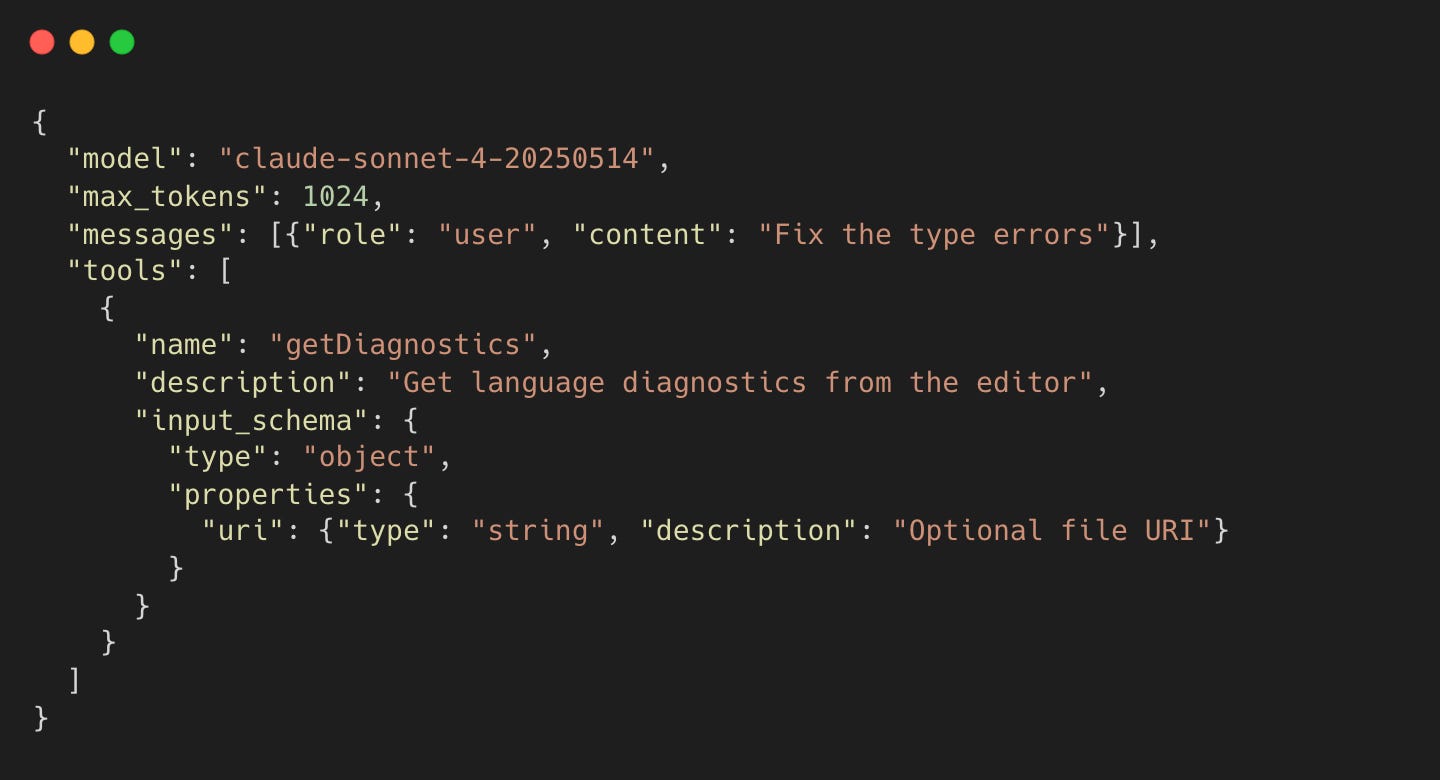
Claude decides to call getDiagnostics and returns a response with a tool_use stop reason.
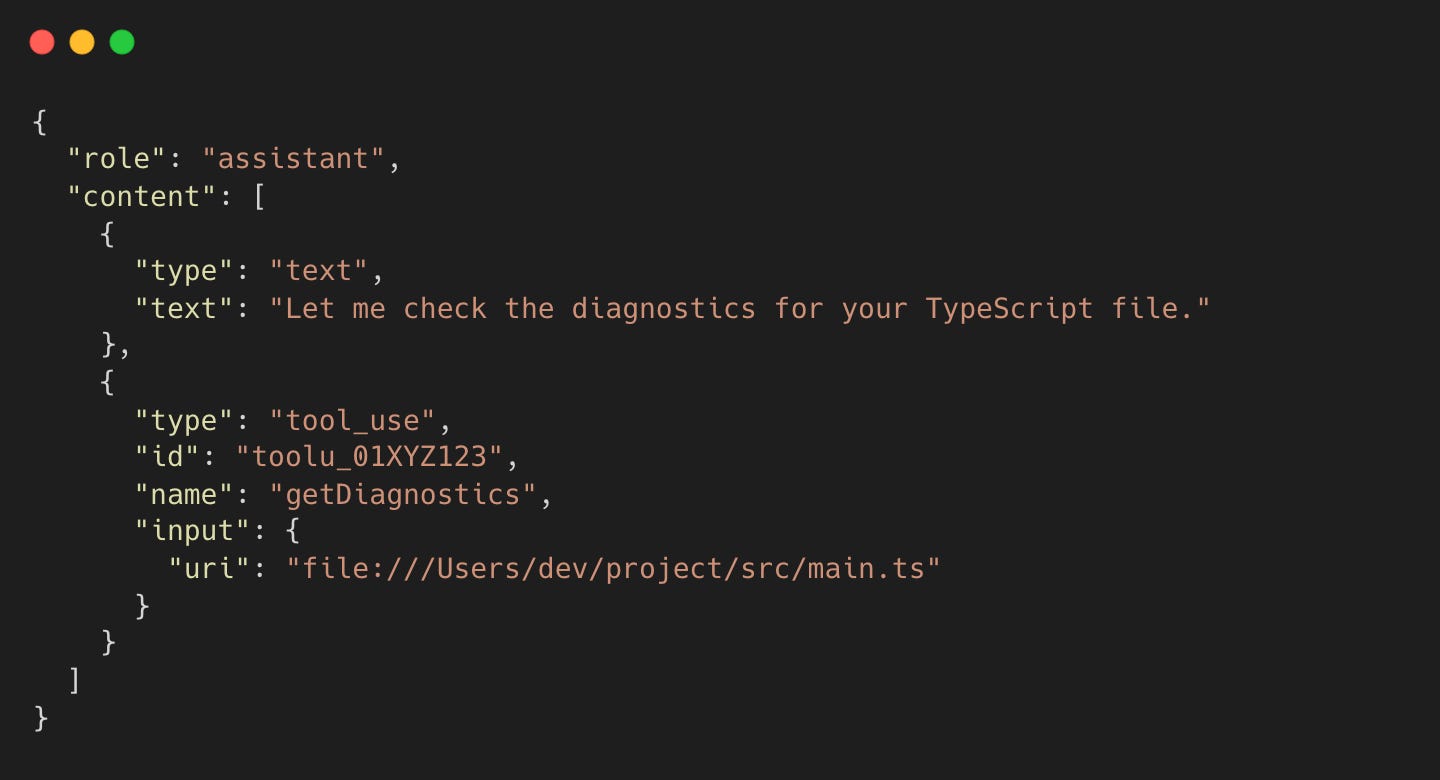
This establishes an agentic loop. Since the Claude API cannot directly access your machine, it instructs the local CLI to execute the tool (fetching diagnostics) and return the result.
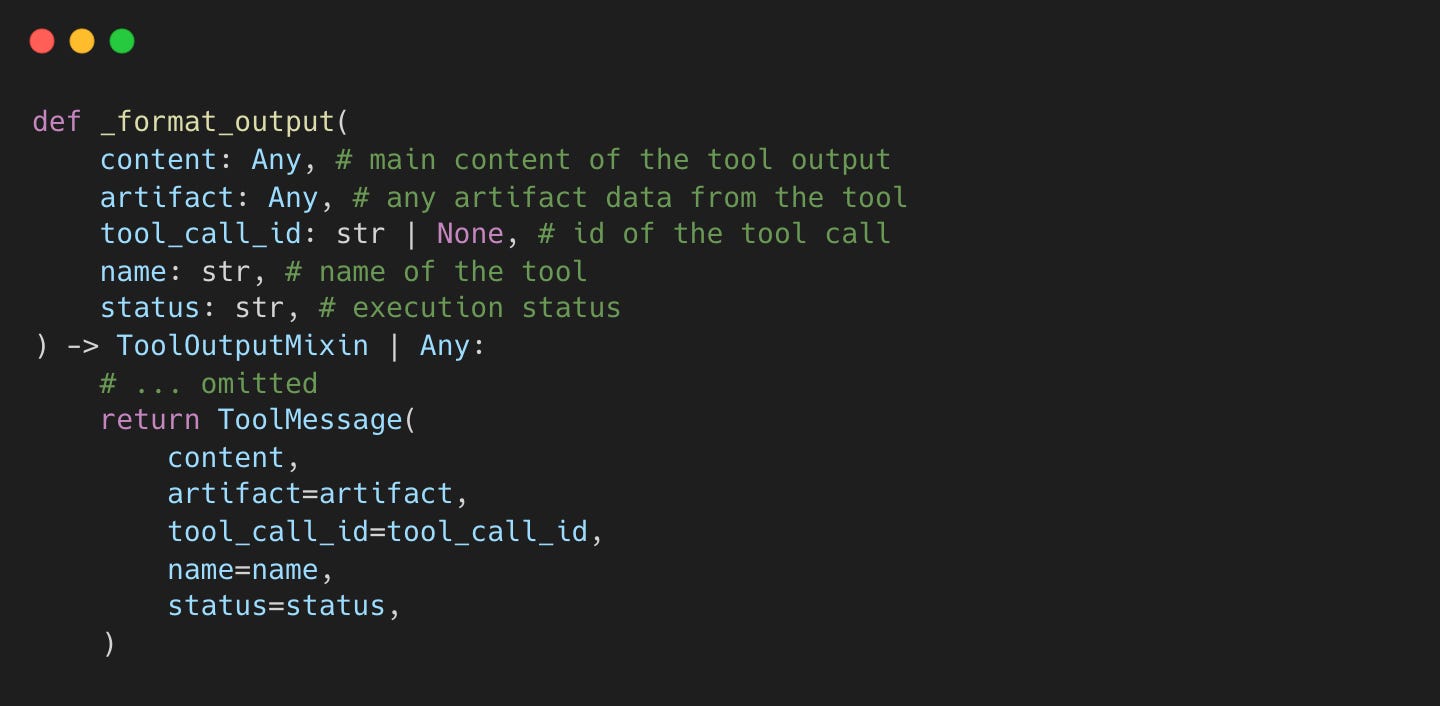
LangChain handles tool execution and message creation as below.
langchain-core:tools/base.py#L888-L933
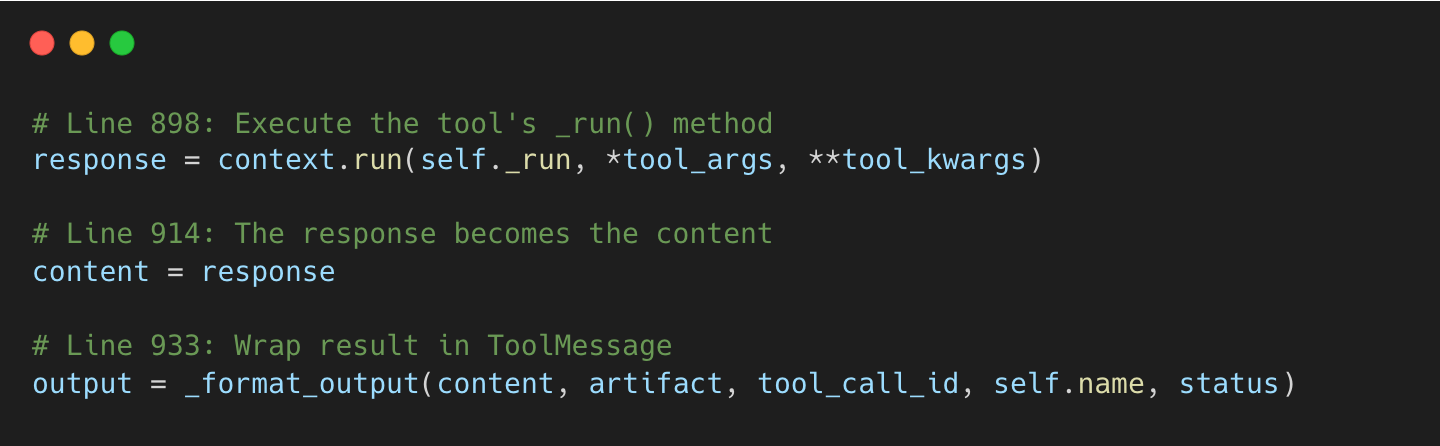
→ langchain-core:tools/base.py#L1181-L1210
The sample request sent to Claude API looks like
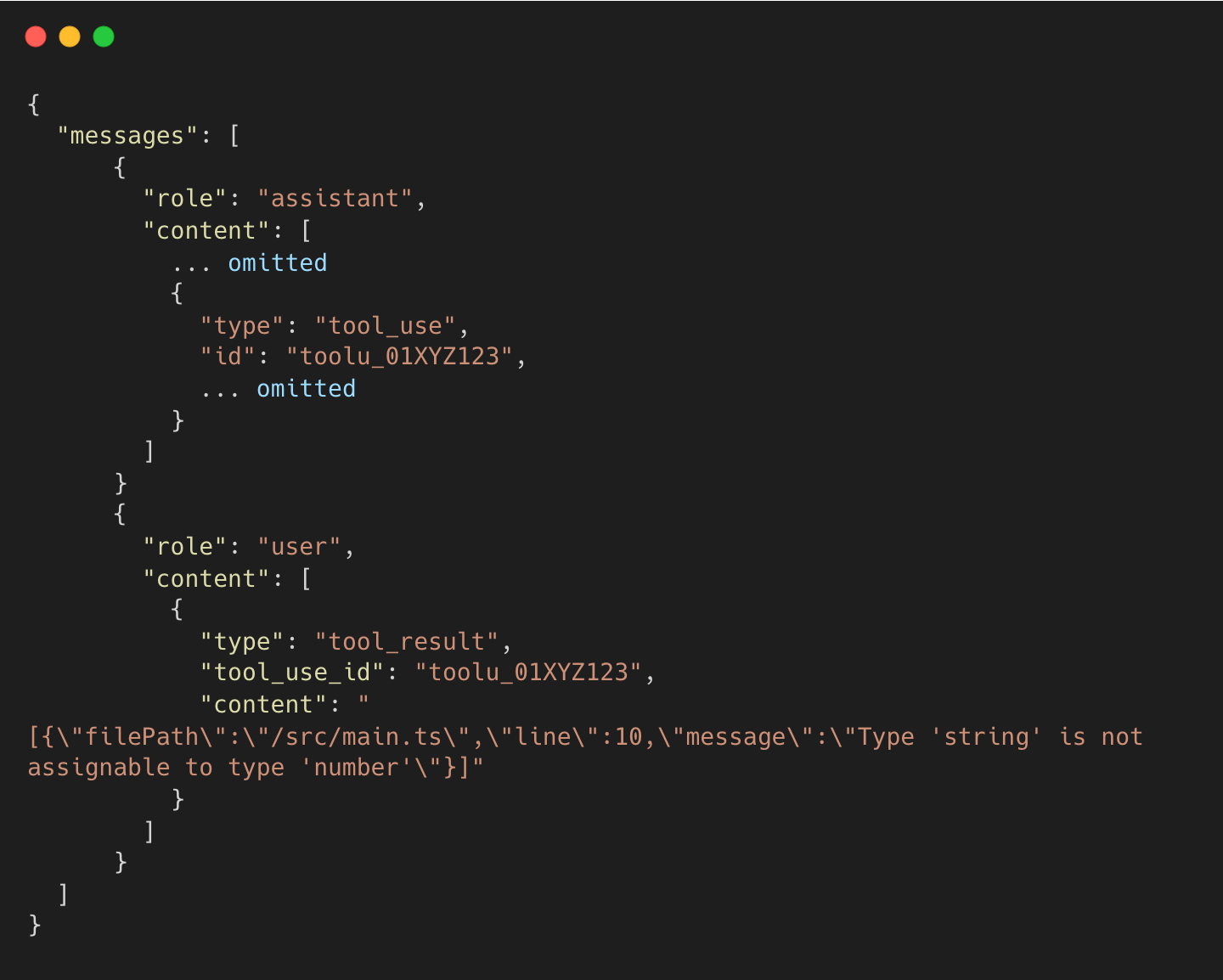
Limitations and Claude Skills
One downside of MCP is high token usage from context preloading. Tool definitions are loaded at session start whether used or not. Some users report 66K+ tokens consumed before any conversation begins.
Claude’s Agent Skills address this using progressive disclosure, a lazy-loading mechanism that loads only metadata initially. We will cover Skills in a future post.
Major Contributions
coder/claudecode.nvim
PR #34: feat: diagnostics tool implementation by @krmcbride (Kevin McBride)
PR #56: feat: implement WebSocket authentication system with UUID tokens by @ThomasK33 (Thomas Kosiewski), primary author of the repository
microsoft/vscode
Issue #30075: Get all problems (errors, warnings, etc.) using VSCode extensions API assigned to @jrieken (Johannes Rieken)
n8n-io/n8n
PR #21942: feat(MCP Client Node): New node by @RomanDavydchuk (Roman Davydchuk)
modelcontextprotocol/typescript-sdk
PR #35: Add convenience methods for issuing requests by @jspahrsummers (Justin Spahr-Summers)
I’m sure I’ve missed many contributors given how much ground this post covers. If you know someone who should be recognized, please tag them in the comments!
Nice breakdown of the MCP plumbing. The lock file discovery is clever but it does tie you to VS Code's diagnostic ecosystem for that context bridge. Codex CLI goes a different direction; full sandbox isolation with network disabled, directory scoped. No IDE coupling needed. I wrote up the sandbox model and the rest of the Codex architecture here if you want the contrast: https://reading.sh/the-definitive-guide-to-codex-cli-from-first-install-to-production-workflows-a9f1e7c887ab