
[OpenClaw] 8 Ways to Stop Agents from Losing Context
Optimizations · A code walkthrough of the guardrails that keep long-running agents from losing the context that matters

OpenClaw is a self-hosted personal AI assistant that has gone viral. Its agentic capabilities of acting autonomously felt like a breakthrough for many users. One important aspect of its agency is its memory; users testify that it “never forgets.”
OpenClaw preserves long-term memory by letting the AI agent write important context to markdown files (MEMORY.md or memory/YYYY-MM-DD.md) that are automatically loaded into future sessions. In this post, we will dive into eight techniques that OpenClaw uses to manage memory and context effectively over long-running sessions.
Memory Flush Before Compaction: Let the agent save what matters
Context Window Guards: Act before hitting limits, not after
Tool Result Guard: Prevent transcript corruption from orphaned tool calls
Turn-Based History Limiting: Cut at conversation boundaries, not mid-exchange
Cache-Aware Tool Result Pruning: Respect provider caches for speed and cost
Head/Tail Content Preservation: Keep beginnings and endings, trim middles
Adaptive Chunk Ratio: Handle varying message sizes gracefully
Staged Summarization: Summarize in chunks to avoid overflow
The diagram below is a simplified representation focused on the interaction of specific context management techniques.
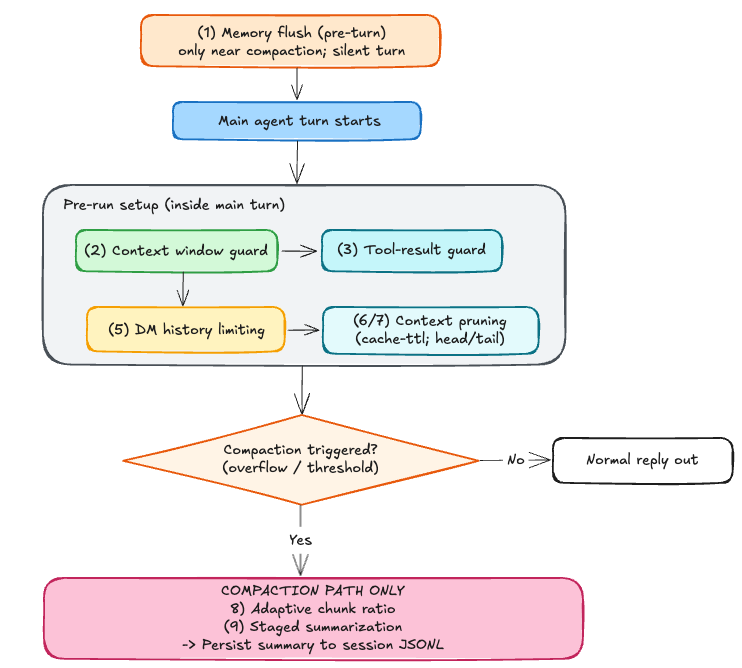
The entry point below may run a pre-turn memory flush (Technique 1) as a separate agent run; only after it finishes (or is skipped) does the main agent turn begin.
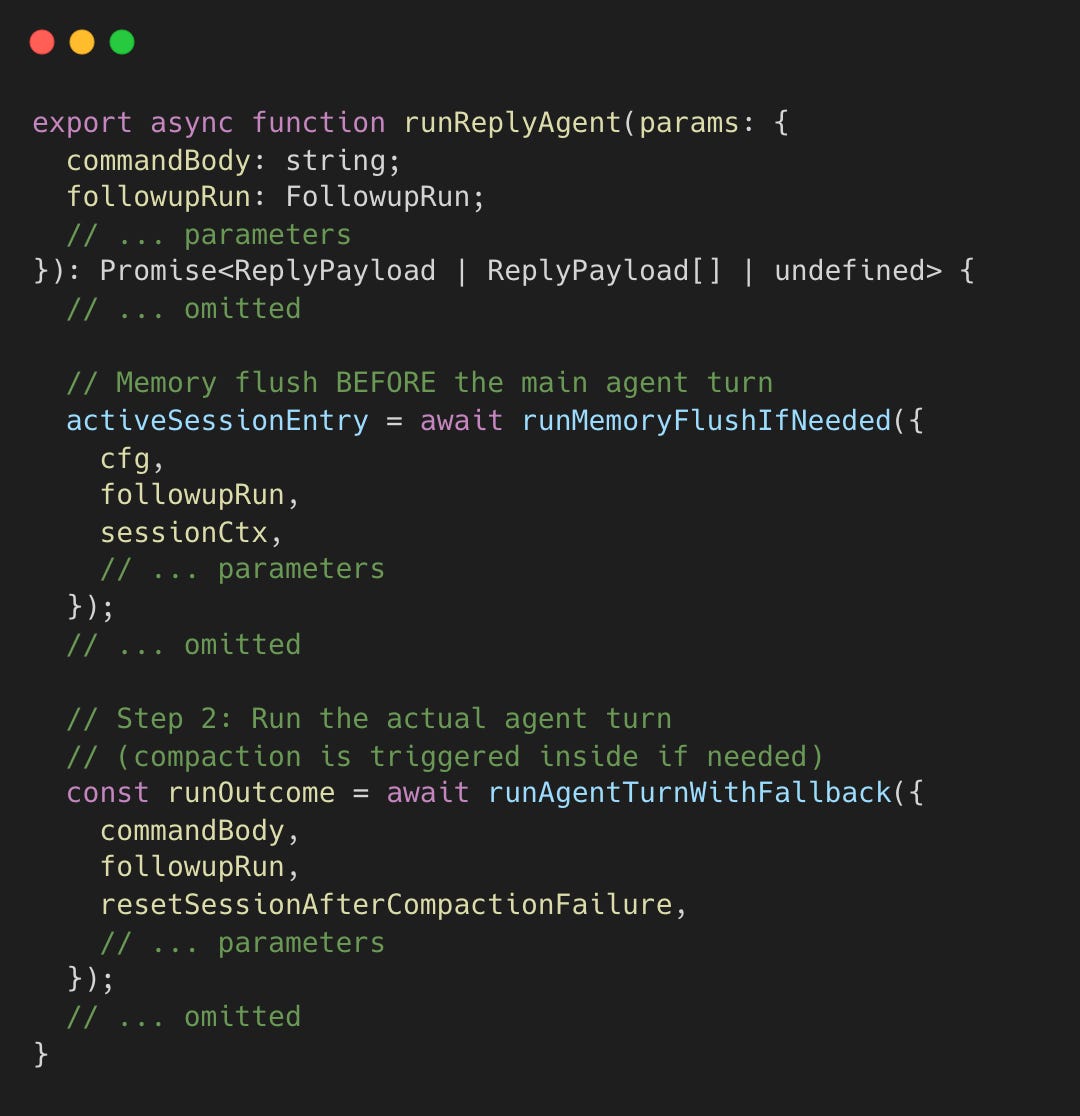
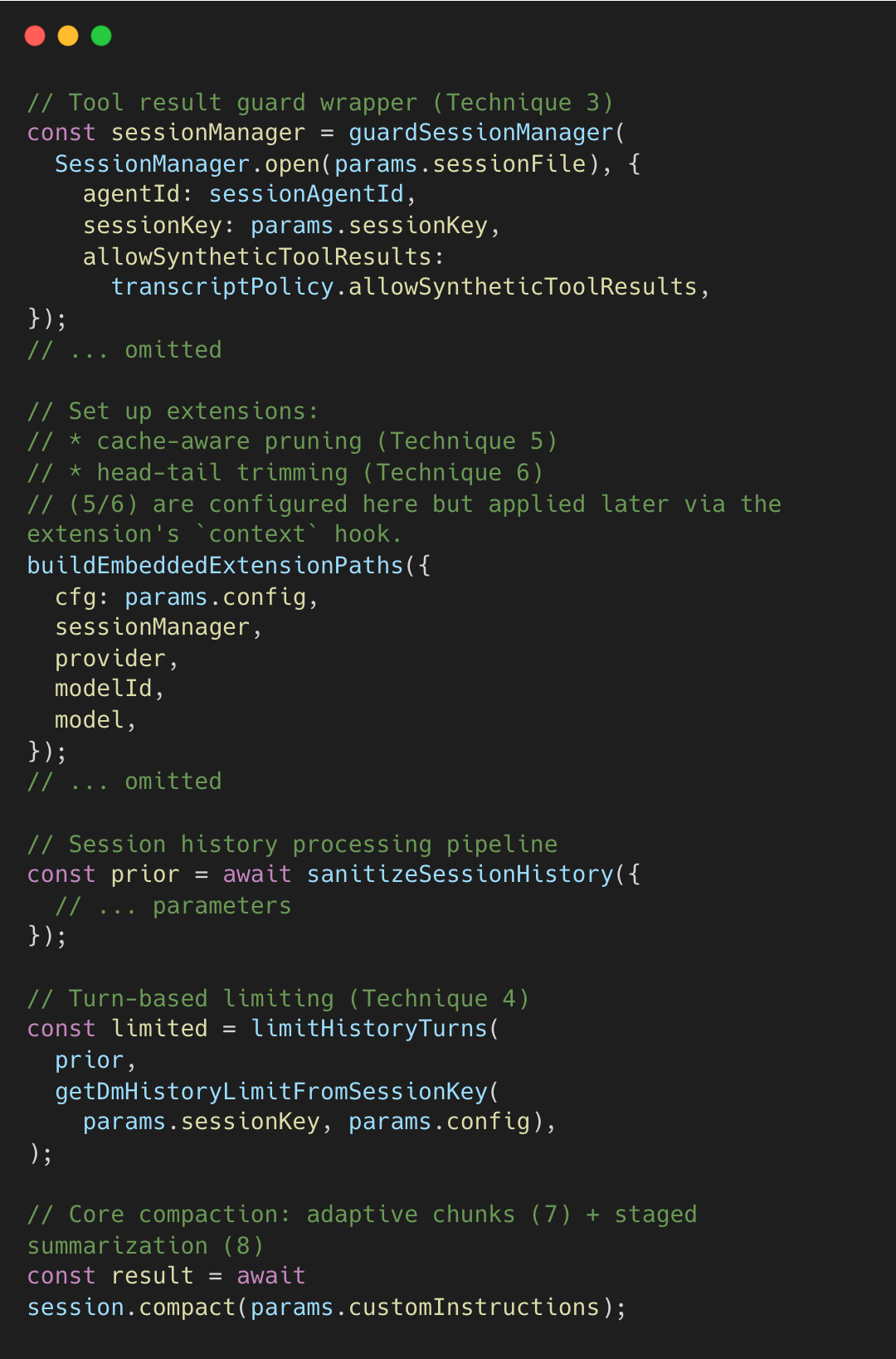
During the main turn, OpenClaw applies its guards and triggers compaction when needed.
Technique 1: Memory Flush Before Compaction
As the session nears compaction, OpenClaw runs a silent pre-turn memory flush (Technique 1) so the agent can write durable notes to disk while the full history is still intact.
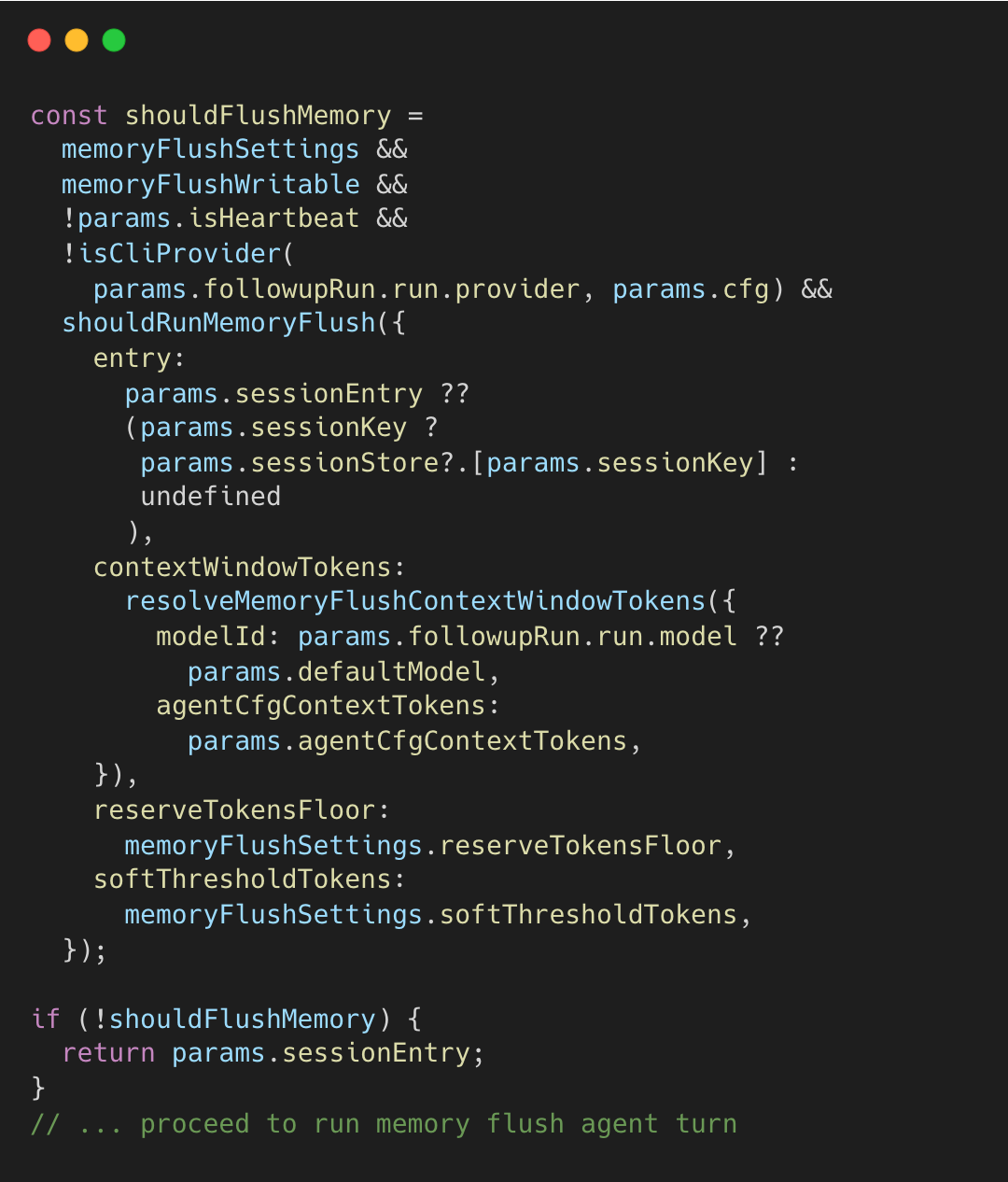
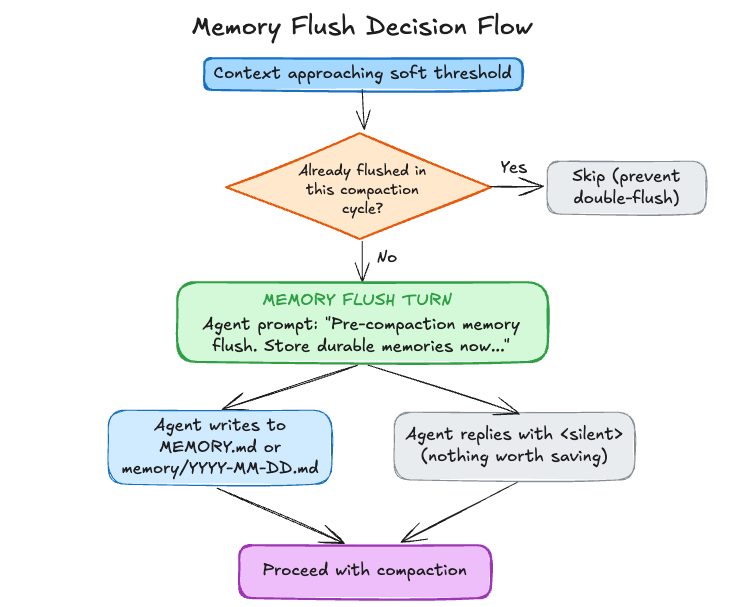
If shouldFlushMemory is true, OpenClaw runs that extra turn; otherwise it proceeds with the main turn. The decision flow is:
The implementation is as follows.
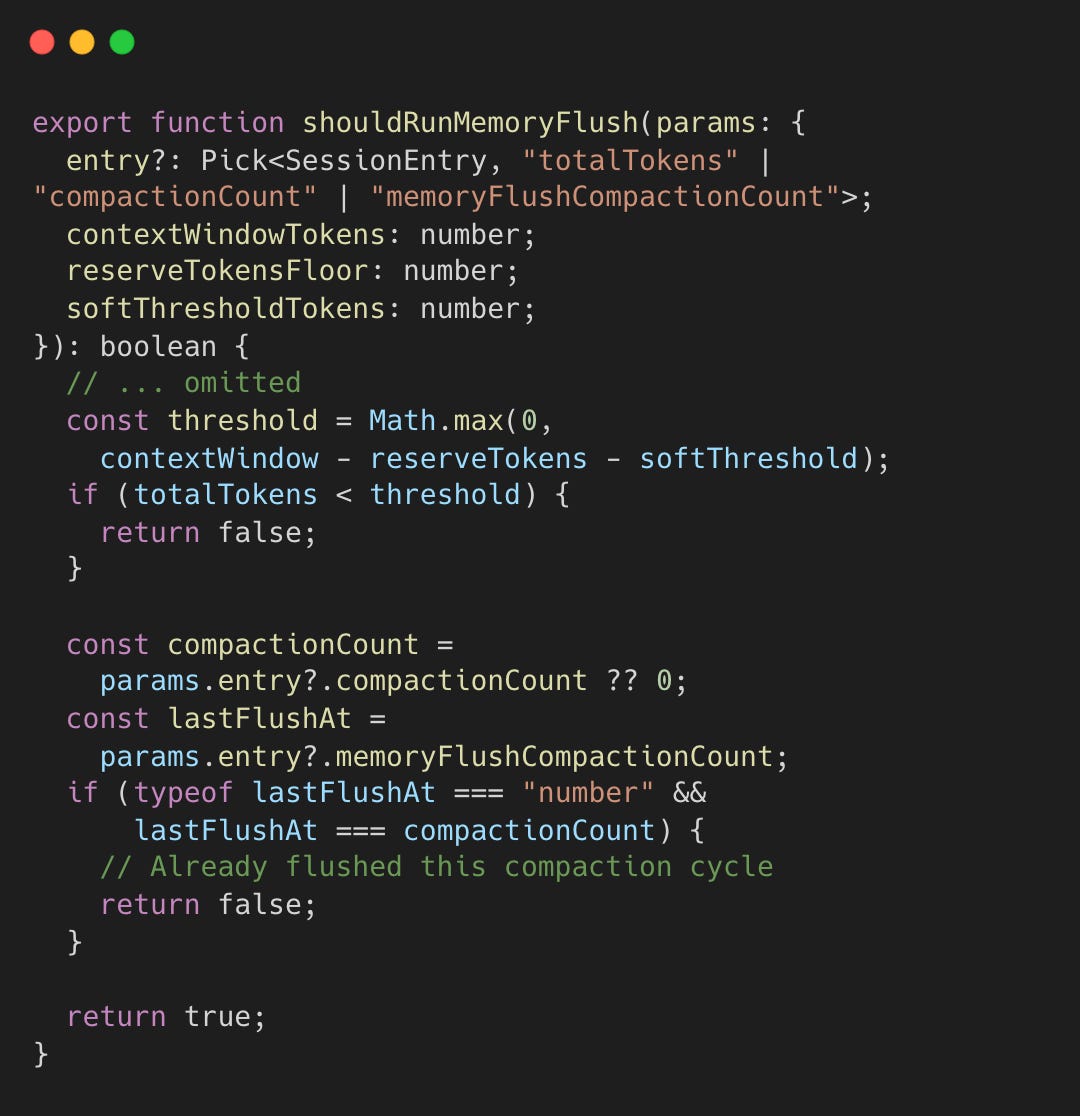
Double-flushing is prevented via memoryFlushCompactionCount (one flush per compaction cycle).
When the flush runs, the prompts explicitly tell the agent where to write and how to stay silent if nothing is worth saving.
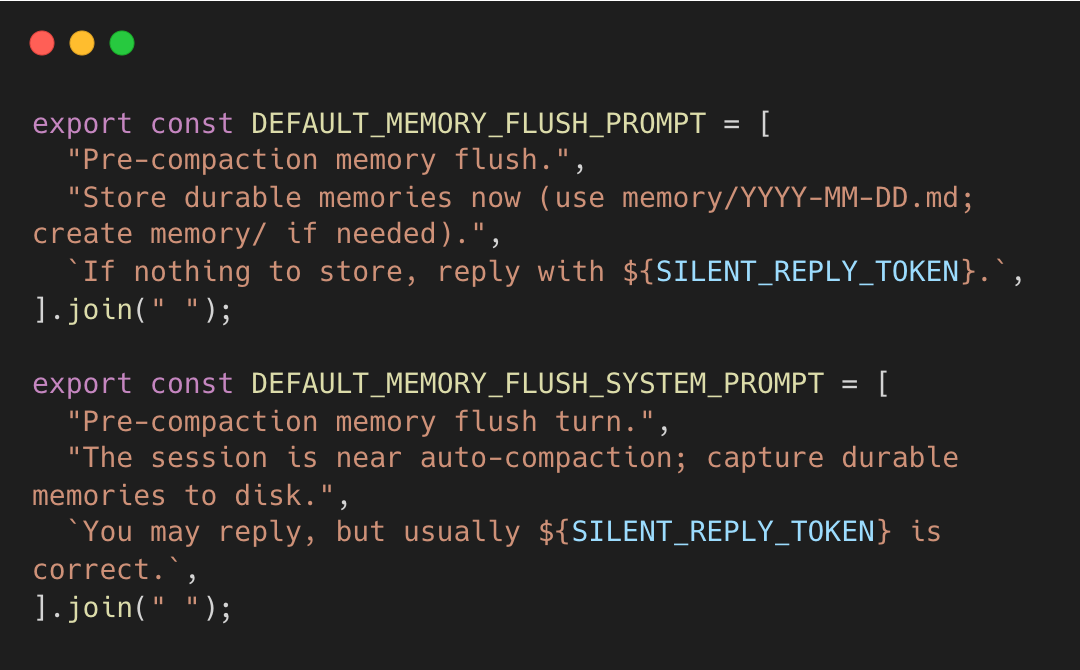
The agent, not a heuristic, decides what to keep. It explicitly writes facts to MEMORY.md, which are injected into future sessions. This creates a feedback loop between session context and persistent storage.
Technique 2: Context Window Guards
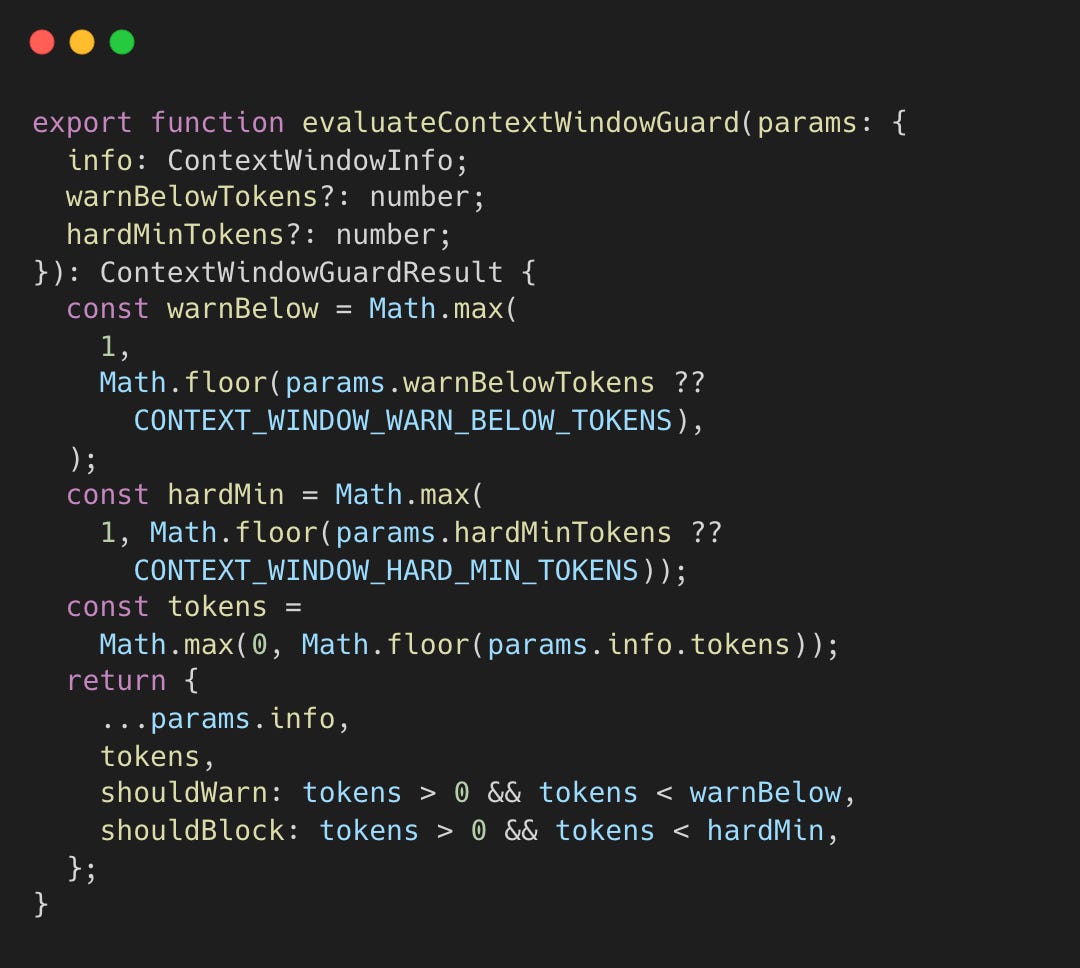
OpenClaw runs a pre-flight guard that validates the model’s context-window capacity. Before a session or turn starts, the system resolves the model’s total context window (e.g., 200K for Opus 4.5).
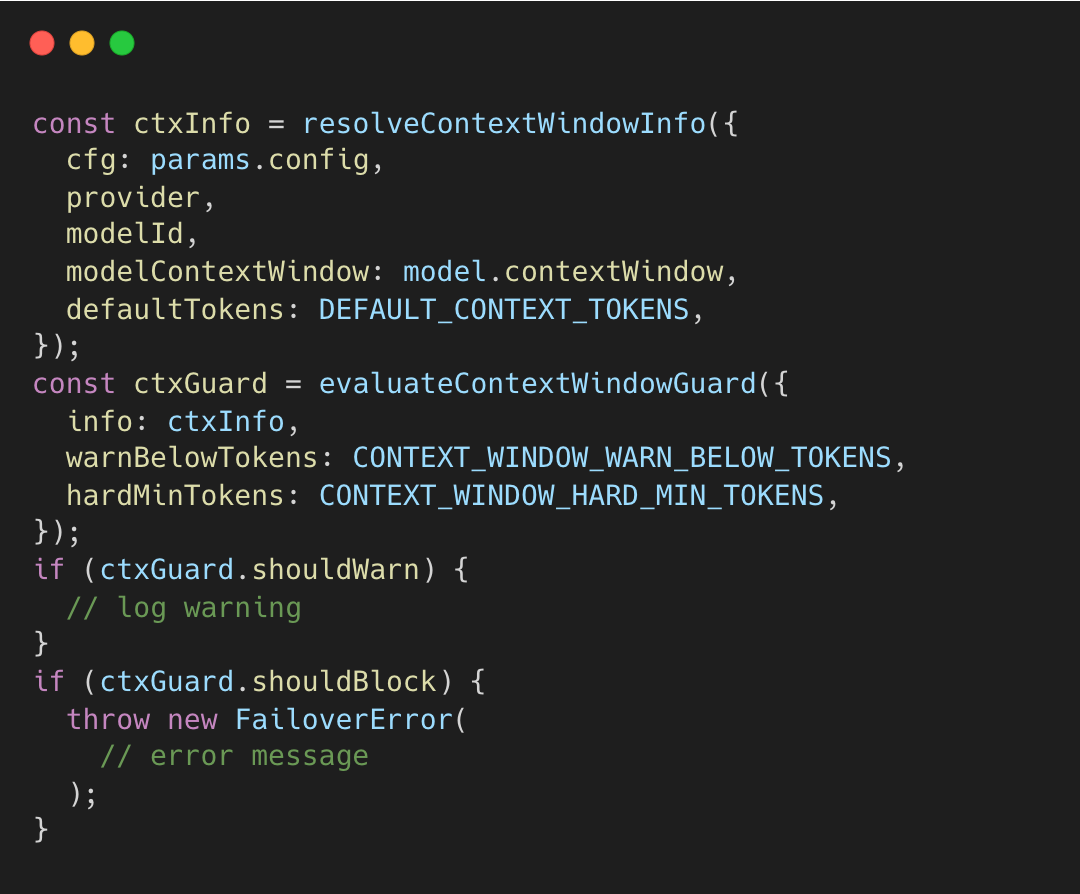
ctxInfo.tokens represents the resolved context window for the selected model.
This static context window value is compared against safety thresholds to ensure the model is big enough to be useful.
Hard Minimum (16K tokens): If the model’s total window is smaller than this, OpenClaw throws a
FailoverError. This prevents the agent from starting a task it cannot complete.Warning Threshold (32K tokens): If the window is between 16K and 32K, it logs a warning that the session might feel “cramped,” but it allows the run to proceed.
context-window-guard.ts#L57-L74
Technique 3: Tool Result Guard with Pending Flush
LLM APIs expect every tool_call to have a matching tool_result. If a tool times out or crashes mid-execution, the session is left with an orphaned tool call, and the next API request fails or causes the model to hallucinate a result.
The guard wraps the SessionManager at session start. It tracks every tool call ID. If a user message arrives before a tool result, the guard injects a synthetic placeholder. This logic also applies during compaction, where guardSessionManager intercepts appendMessage calls to resolve pending tool calls.
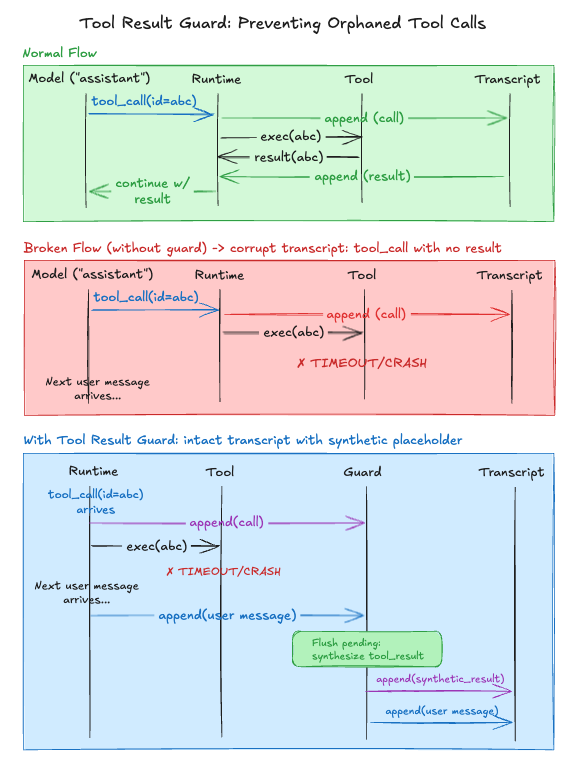
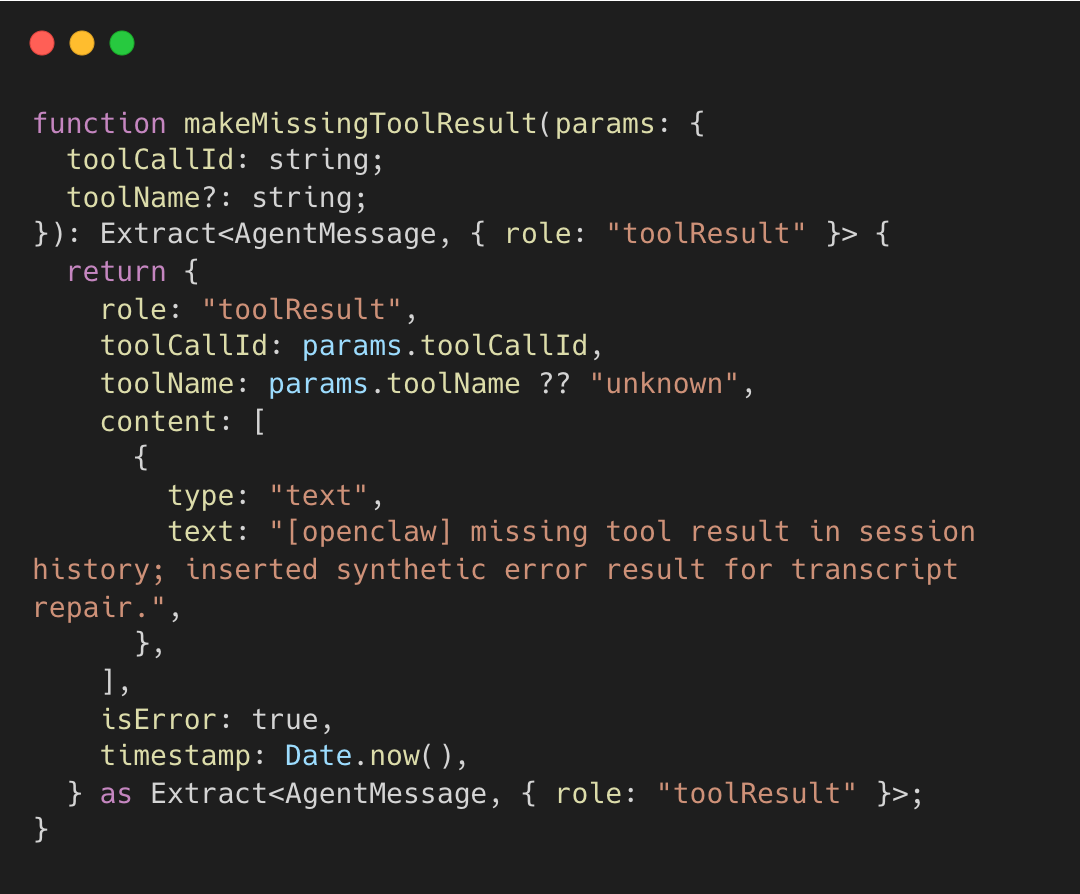
This placeholder prevents API errors (orphaned tool calls) and signals to the model that the tool execution was incomplete. The implementation of makeMissingToolResult shows the exact error message injected.
session-transcript-repair.ts#L48-L65
The guard intercepts appendMessage calls on the session transcript (message history). If a non-tool-result arrives while tool calls are pending, it flushes synthetic results first.
session-tool-result-guard.ts#L79-L132
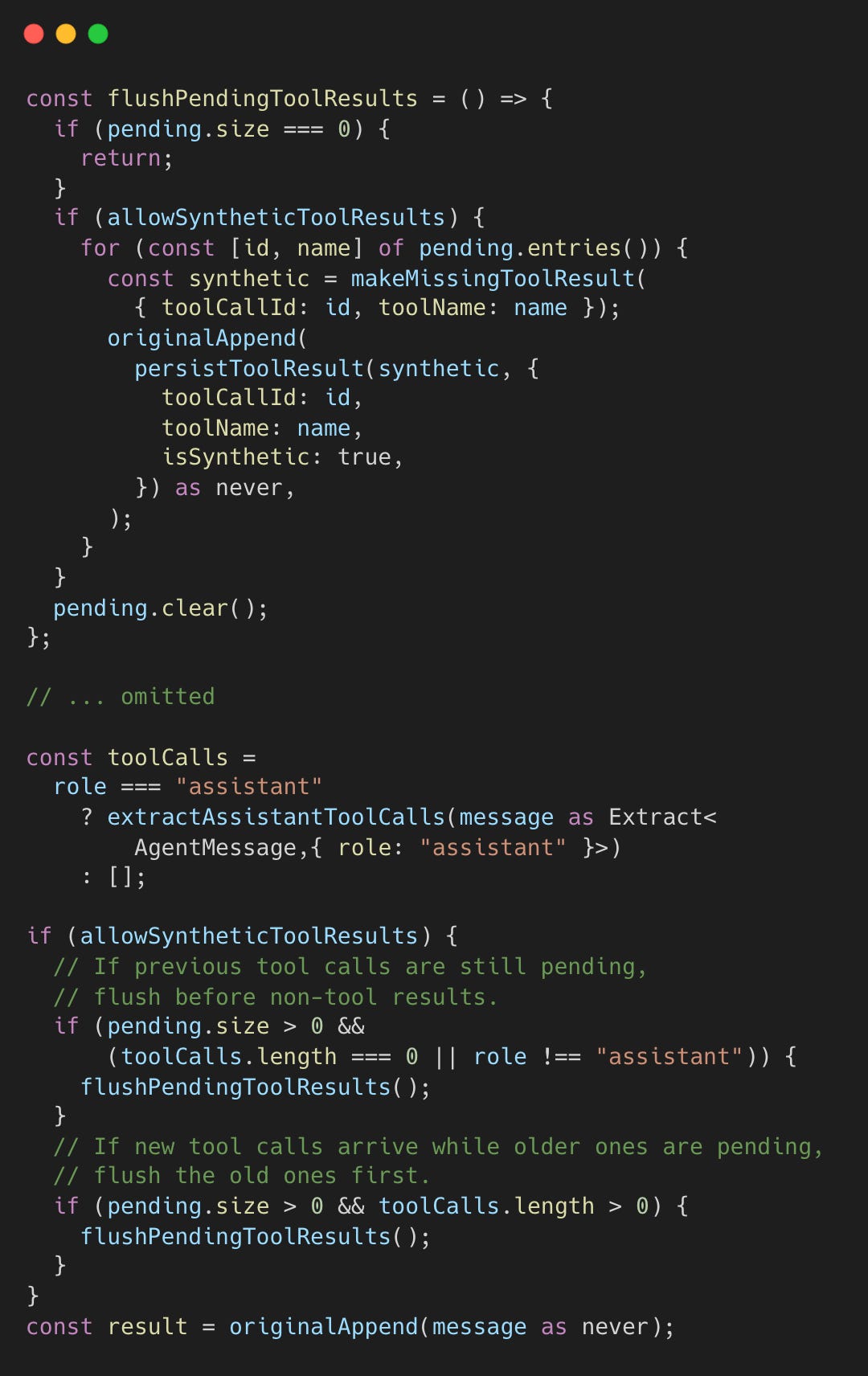
This prevents orphaned assistant tool calls from corrupting the transcript. The synthetic results contain placeholder content noting the tool call was incomplete.
Technique 4: Turn-Based History Limiting
Fixed message limits, applied when packing chat history into the next prompt, ignore conversation structure, potentially cutting mid-exchange. OpenClaw limits by user turns instead.
After sanitizing and validating the session history, the pipeline applies turn-based limiting.
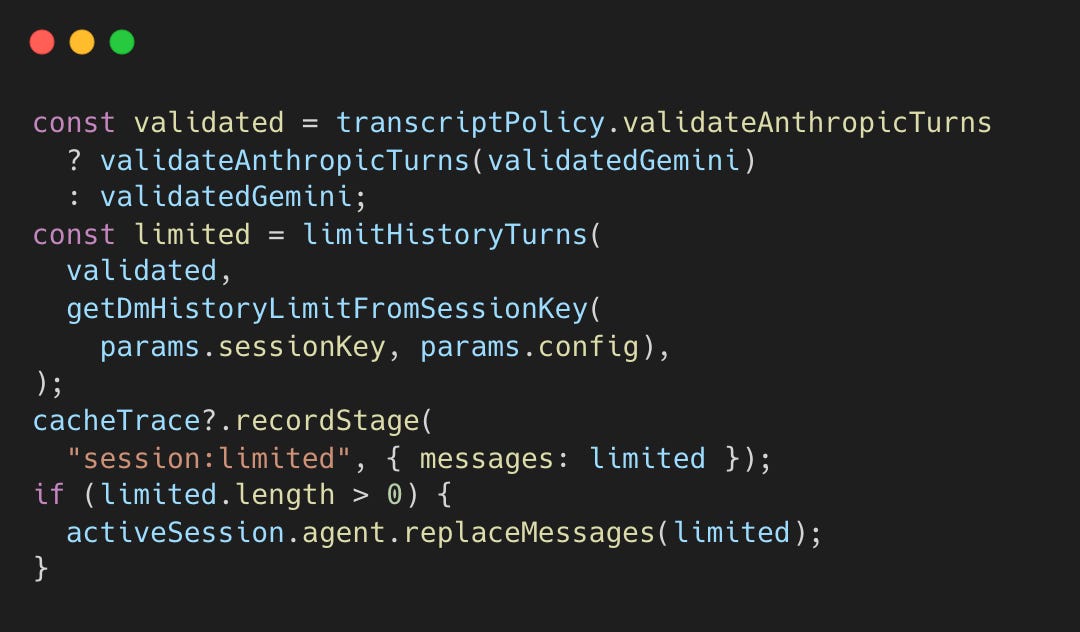
This ensures the cut happens at a conversation boundary (a user message) rather than mid-exchange.
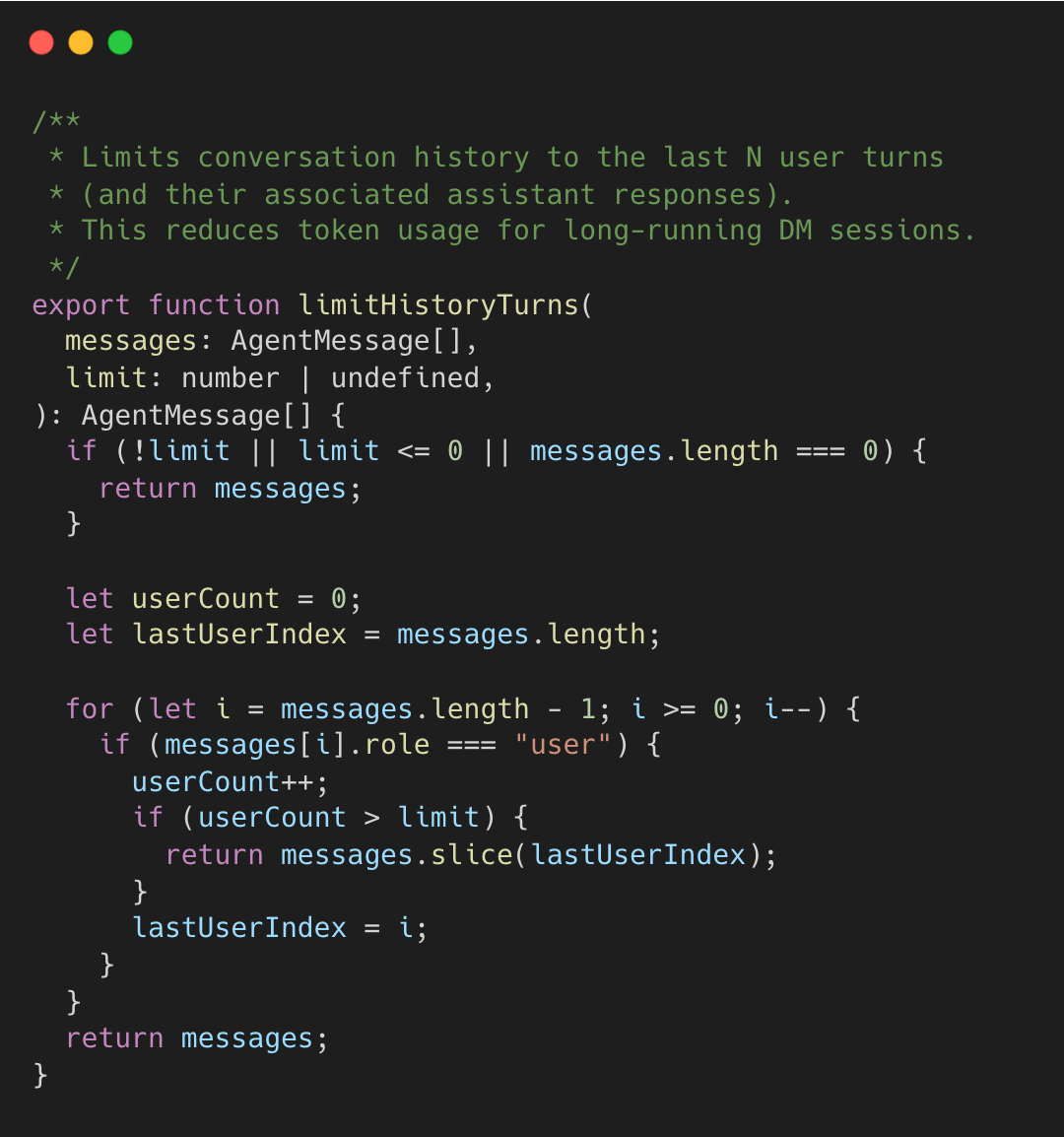
The algorithm walks backward counting user turns, slicing from the last user message boundary when the limit is reached. This preserves complete exchanges rather than cutting mid-conversation. DM session allow configuring the limit per user to keep longer history for high priority users.
Technique 5: Cache-Aware Tool Result Context Pruning
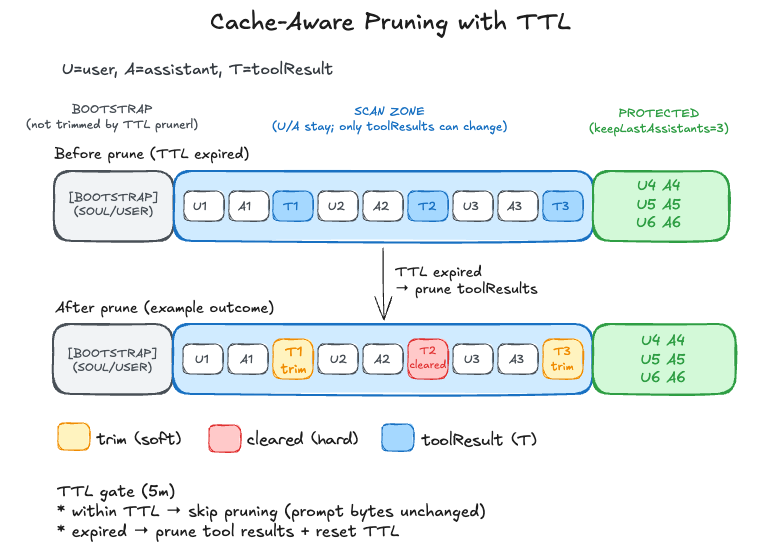
LLM providers, like Claude and Gemini, cache prompt prefixes server-side, but they cannot predict when your application is about to change the prefix. If you modify early messages mid-session, the provider re-processes the entire prompt from scratch. Application-side pruning solves this by tracking cache timing locally. It keeps the prefix stable while the cache is valid but prunes when the cache expires.
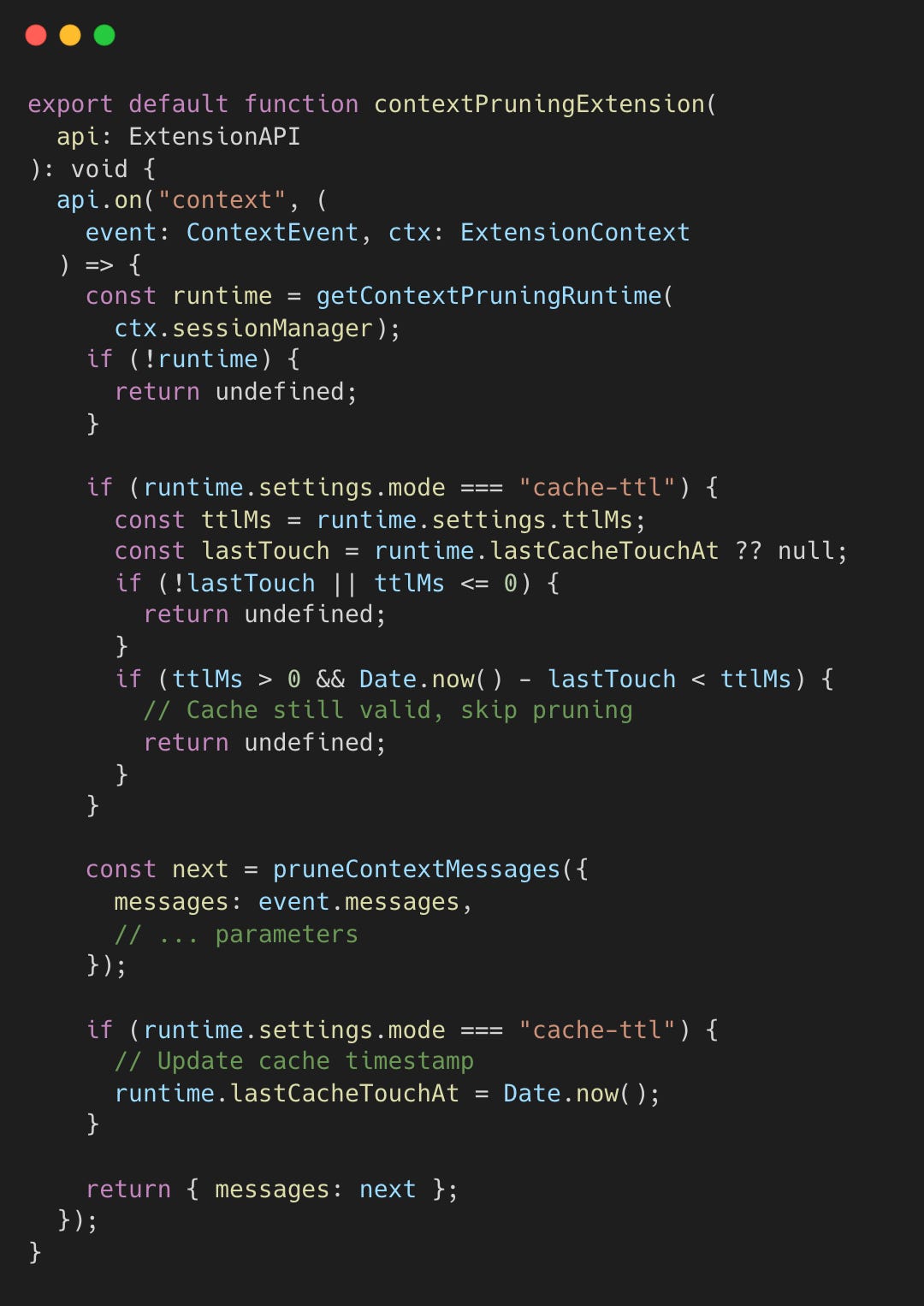
This pruning extension is initialized during session setup. When the session builds its extension paths, it registers the context pruner alongside other extensions. The extension hooks into the agent framework’s “context” event, which fires before each LLM API call—giving it a chance to prune messages before they’re sent.
The pruner uses a two-phase approach: soft trim (preserving head/tail) and hard clear (replacing with a marker).
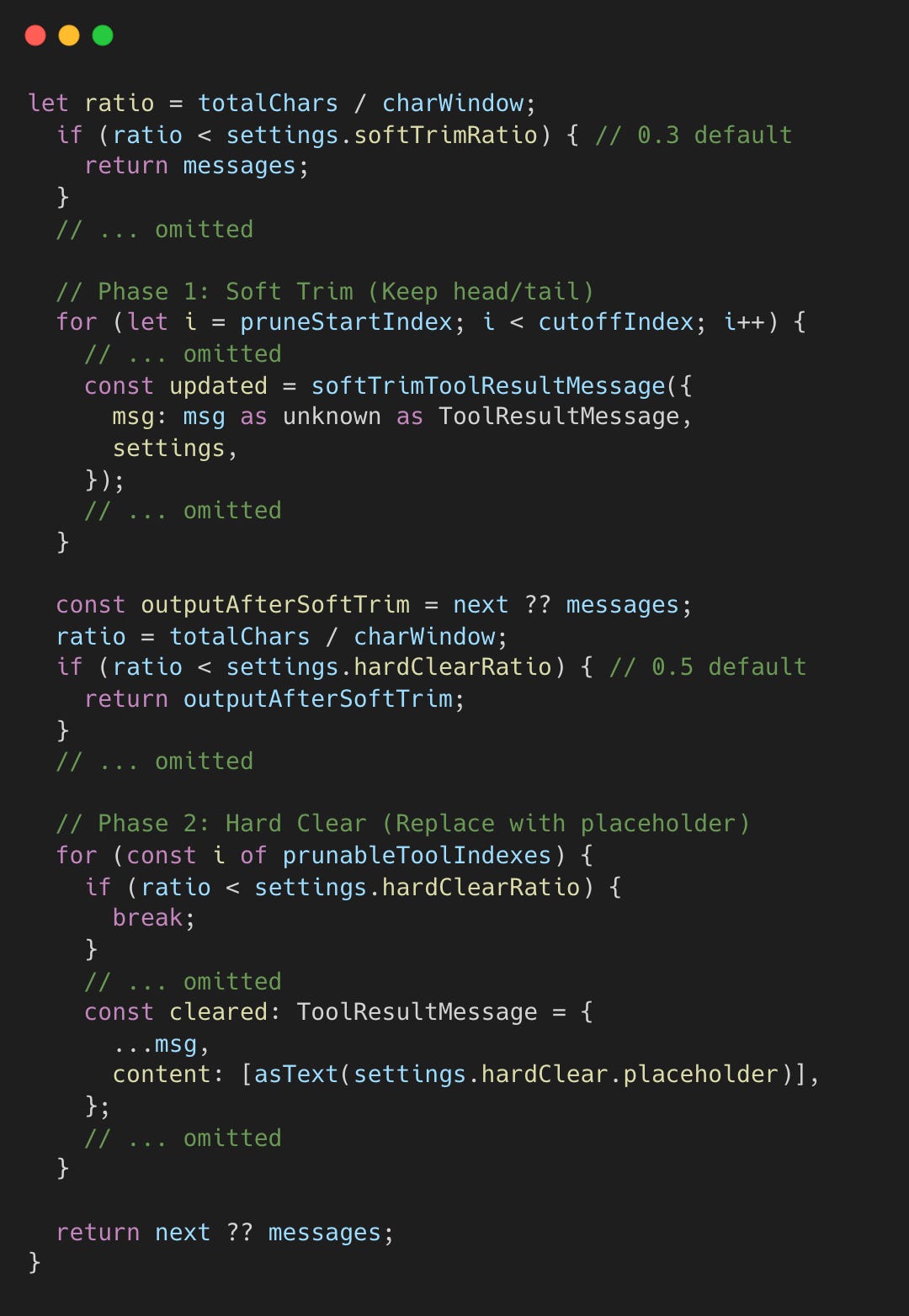
Pruning triggers only when context usage hits specific safety thresholds:
> 30% (Soft Trim): Reduces large tool results by keeping only the head and tail (Technique 6).
> 50% (Hard Clear): Replaces the entire tool result with a brief placeholder to reclaim maximum space.
To preserve the immediate conversational flow, the last 3 assistant turns are always protected from pruning. The soft trim phase leverages Technique 6 to reduce message size while keeping critical beginnings and endings.
Technique 6: Head/Tail Content Preservation
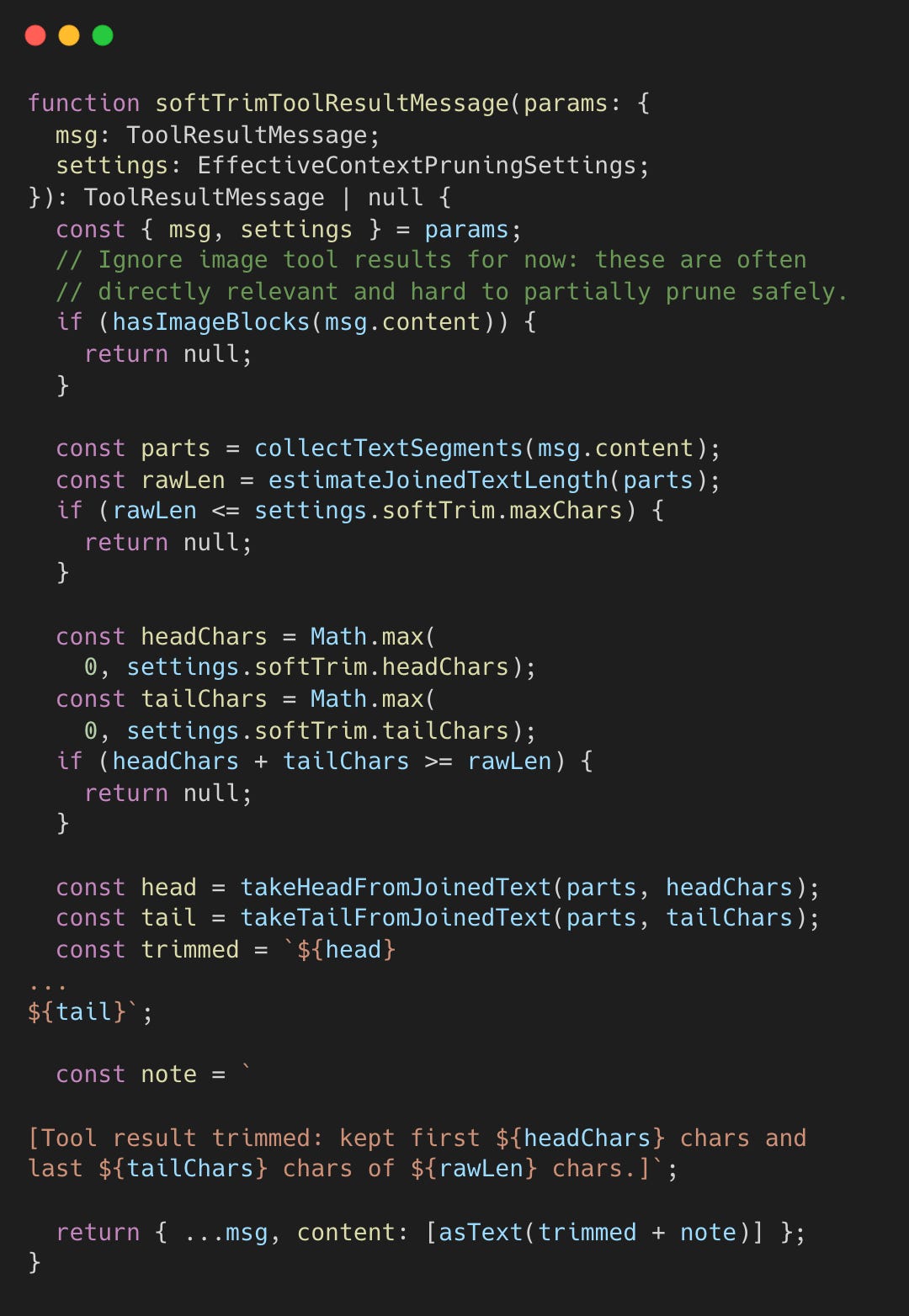
Simple truncation often loses critical endings like error messages. OpenClaw preserves both head and tail content.
During context pruning, tool results are soft-trimmed if they exceed a fixed character threshold of 4,000 characters. It defaults to keeping the first 1,500 characters (head) and last 1,500 characters (tail).
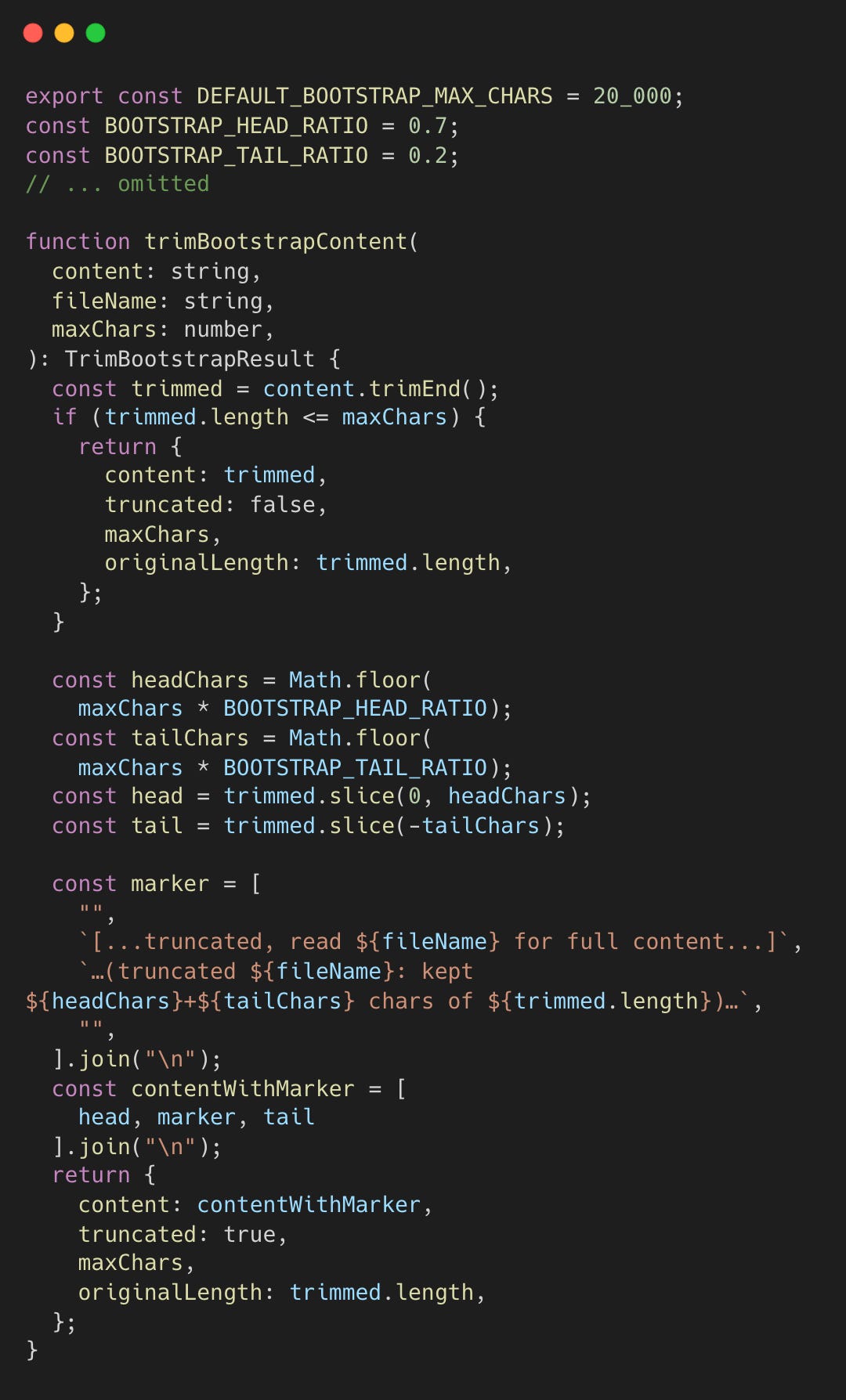
Bootstrap files, like SOUL.md for agent personality or USER.md for user preferences, are injected at session startup to establish identity and context. Bootstrap files are trimmed with a 70/20 ratio, prioritizing the beginning (70%) where core instructions live, while keeping recent updates at the end (20%). The remaining 10% is reserved for the truncation marker.
Technique 7: Adaptive Chunk Ratio
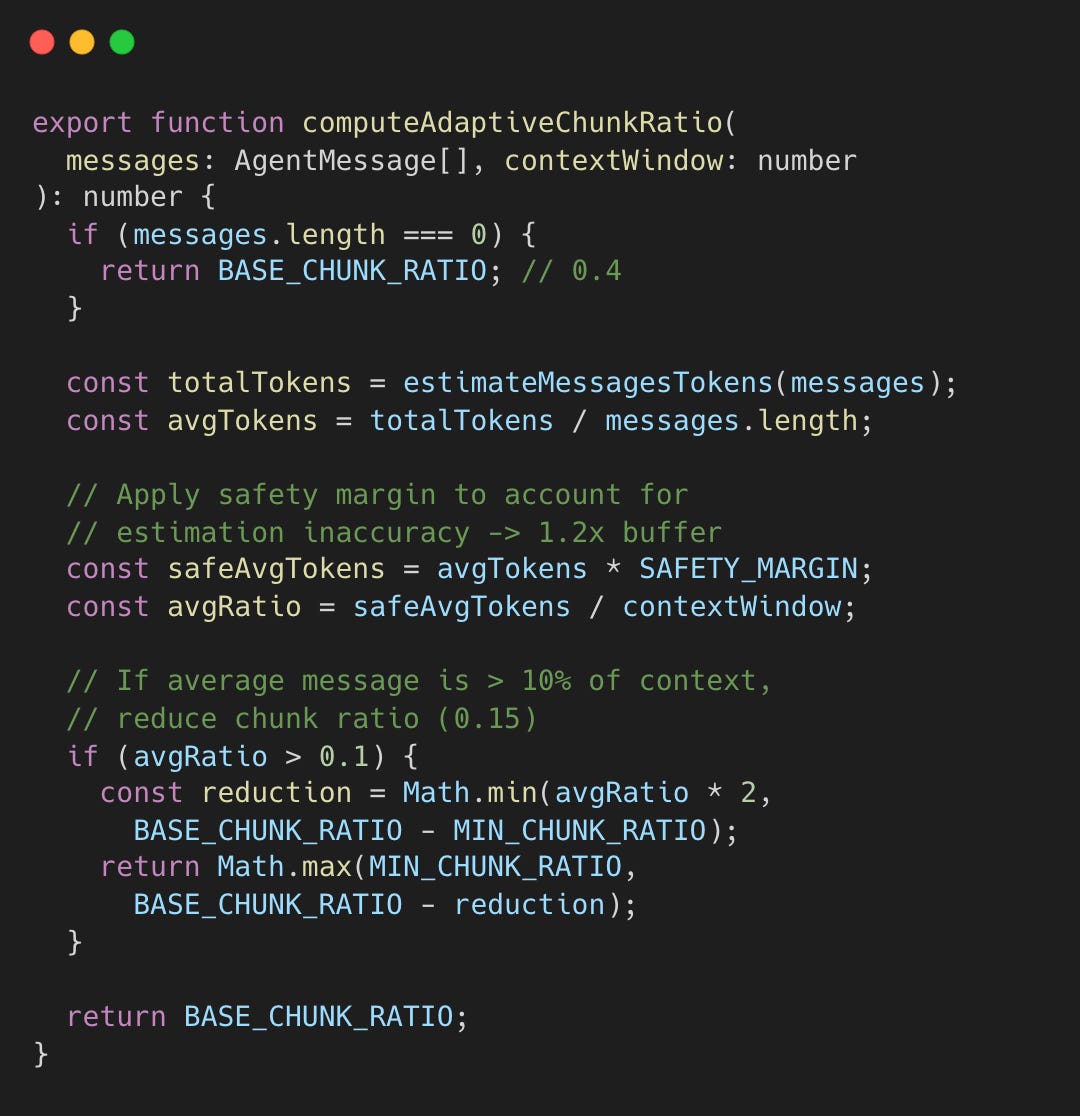
Fixed chunk sizes fail with varying message sizes. A 10K-token code block requires different handling than short messages.
During compaction, the safeguard extension must decide how large each summarization chunk can be. If chunks are too large, the summarization call overflows the context window. If too small, API calls are wasted. The adaptive ratio analyzes the actual message sizes before chunking.
compaction-safeguard.ts#L271-L275
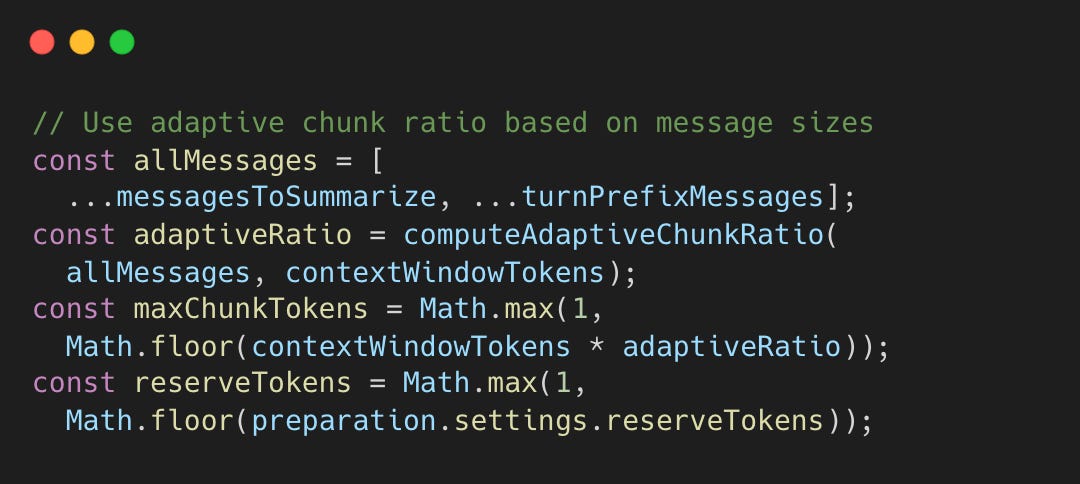
The returned ratio (between 0.15 and 0.4) is multiplied by the context window size to compute maxChunkTokens, the maximum tokens allowed per summarization chunk. For a 200K context window with ratio 0.4, chunks are capped at 80K tokens. If messages average 15% of the context window, the ratio drops to 0.25, capping chunks at 50K tokens to leave room for the summary output.
Technique 8: Staged Summarization with Fallback
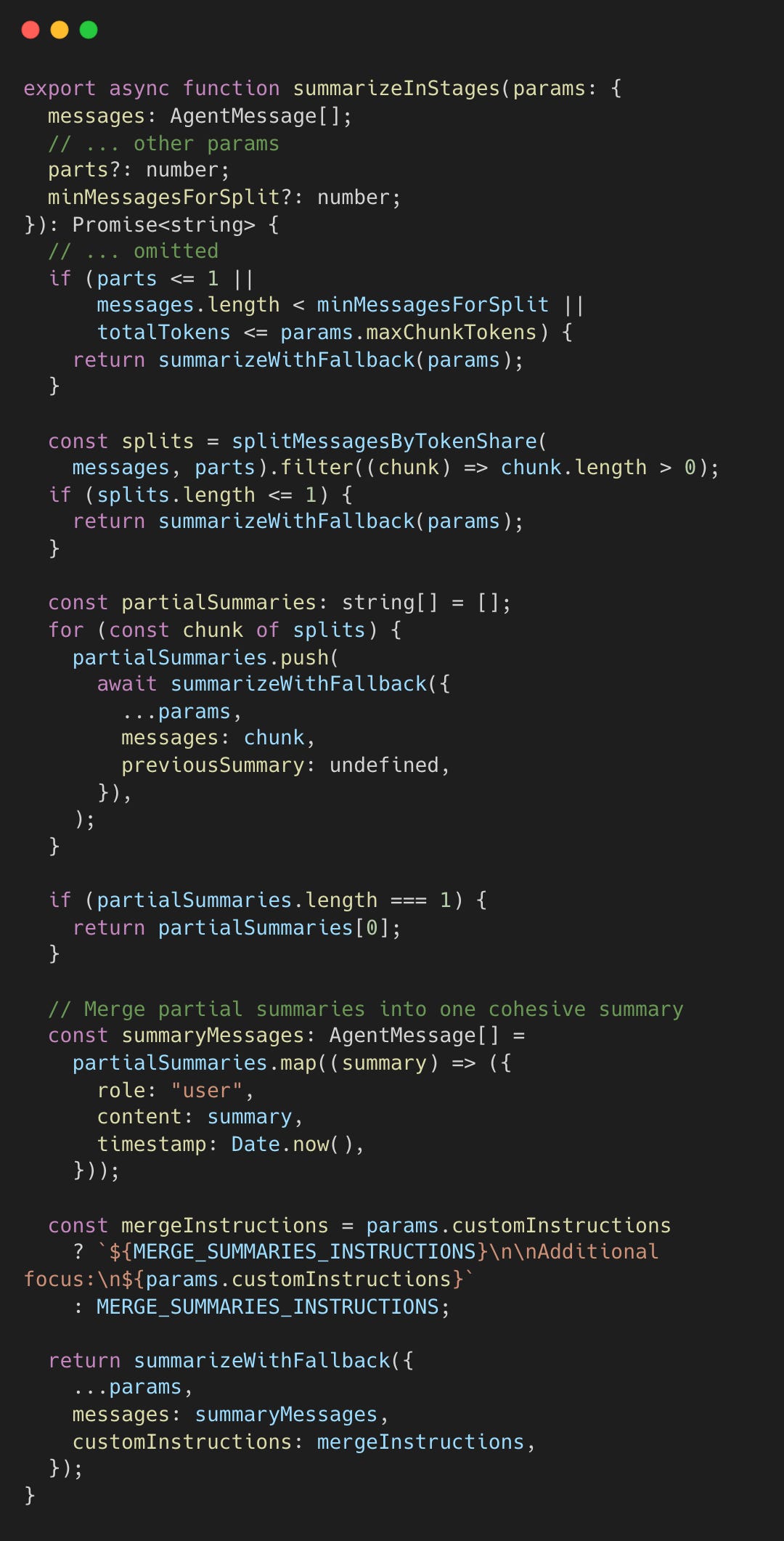
Summarizing large conversations in one shot can overflow the context window.
The compaction safeguard invokes staged summarization at three points: first for dropped messages (pruned due to size), then for the main history, and finally for any split turn prefixes. Each call may further subdivide if the input exceeds chunk limits.
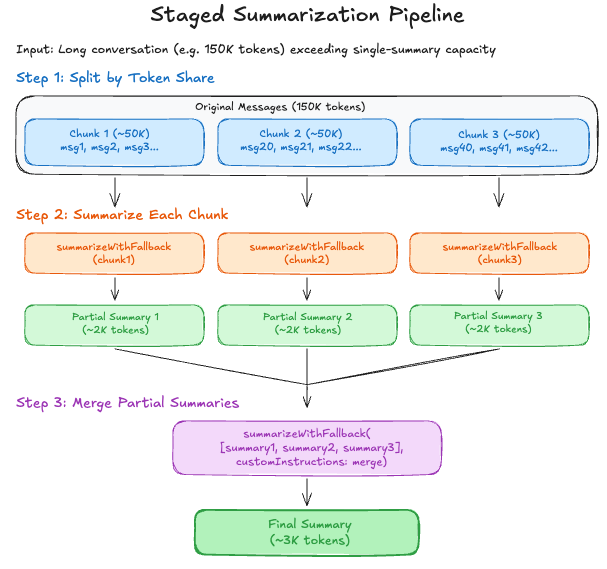
The staged summarization is implemented as follows.
Conclusion
These eight techniques combine to enable sessions that span hours or days without losing critical context. The memory flush pattern, which grants the agent time to save data, transforms compaction from “losing context” to “archiving decisions.”
OpenClaw treats context as a type of resource, like memory, to manage. It implements layers of optimization and fallbacks to prepare for resource usage spikes.
Prevention: Context guards prevent surprises (Technique 2)
Preservation: Memory flush preserves intent (Technique 1)
Adaptation: Adaptive chunking handles varying message sizes (Technique 7), turn-based limiting respects conversation structure (Technique 4)
Optimization: Cache-aware pruning optimizes cost (Technique 5), head/tail trimming preserves semantics (Technique 6)
Robustness: Tool result guards prevent transcript corruption (Technique 3), staged summarization handles edge cases (Technique 8)
Major Contributions
Staged Helpers by @steipete (Peter Steinberger)
Tool-result Context pruning by @maxsumrall (Max Sumrall)
Pre-compaction Memory flush by @steipete (Peter Steinberger)
Compaction safeguard by @steipete and @thewilloftheshadow (Shadow)
Please let me know if I missed any other relevant major contributors!
Impressive breakdown of how OpenClaw handles context degradation. The pre-compaction memory flush is particuarly clever becuase it shifts the problem from 'how do we keep everything' to 'what should the agent decide to keep'. I built a similar system last year but kept hitting issues with mid-conversation cuts, wish I'd seen teh turn-based limiting approach then.